
When generating a schedule for Full Time students, there are multiple options / ways to do this. Below is a suggestion only and can be changed based how you would like it organised
The schedule steps below covers
-
Theory schedule eg 50 people 1 room, 1 trainer
-
Practical schedule eg 100 students, multiple locations, multiple trainers
Setting up a Theory Schedule
-
Login as admin
-
Go to Courses > schedules
-
Create schedule
-
Add title eg Theory Group 1
-
Summary Tab
-
Select the course it relates to i.e. the full time course
-
Do not enter trainer, subject, location (this will be decided on the timeslot tab section)
-
Select Trainer led and classroom based
-
-
Timeslots Tab
-
Blackouts
-
should have been added previously - see user guide on adding blackouts
-
-
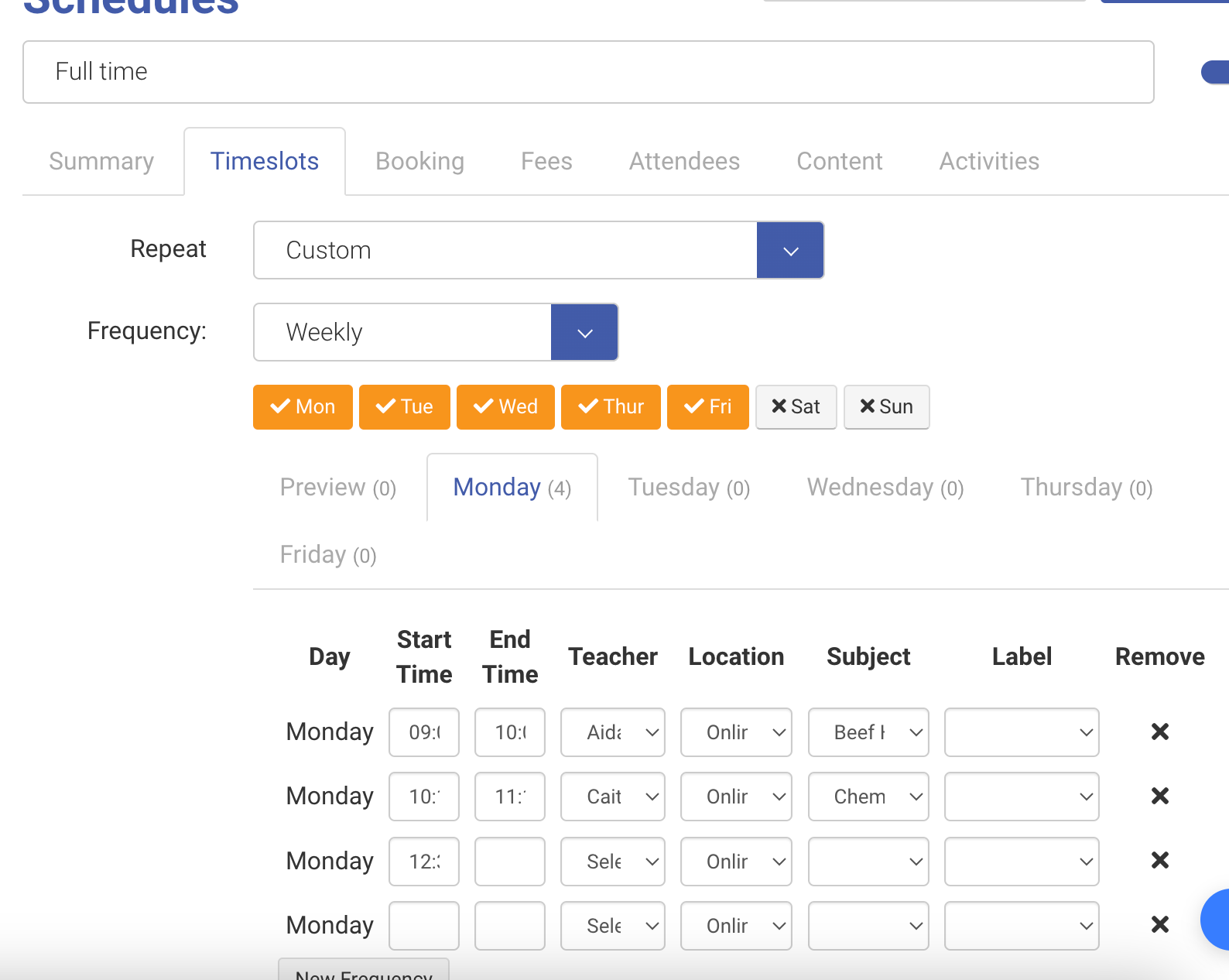
Repeat
-
Select Custom
-
Select Frequency Weekly
-
Select the days of the week Theory classes are being held.
-
eg Mon-Fri
-
-
Now select each tab, and enter the timeslots for each day (for the theory classes only), each day will have multiple
-
Example Monday 9-10, 10-11, 11:30-12:00, Tuesday 9-10, 10-11, 11:30-12:00
-
-
On each timeslot, eg Monday 9-10, set the trainer, location, Subject(module), IGNORE Lable for each of the timeslots.
-
-
Once all your timeslots frequency has been added, set the start and end date eg Sept 2023 - May 2024
-
Select Generate Timeslots.
-
Outcome: You will see all your timeslots generate for the year ahead.
It will skip blackout dates
Each timeslot generated can be changed if required, at a later date if required eg trainer, location, module or time changed.
-
Booking Tab
-
Book on website = OFF
-
Max Capacity - set the max capacity allowed in this schedule eg 50 (maybe room can fit max 50 so it won’t allow more students be booked)
-
-
Fee Tab - Ignore
-
Attendees Tab - These will populate the names of the attendees once they have been booked
Overall Outcome
-
Schedule will be generated with multiple slots per day
-
Each timeslot will have its own module, trainer and location.
-
Timeslots can be edited at any time via schedules or the all timetable
-
Edit trainer, location or module
-
Changes will be seen on the admin, trainer and student timetable.
-
-
When students are booked onto this schedule, they will be booked onto all the timeslots and assumed to attendee all.