
This feature is not enabled by default. Feel free to contact us if you would like this feature enabled
Changing an invited contacts user group
-
login as admin
-
Open contacts
-
Filter down to the applicable contact (while staying on the contacts list screen)
-
Review the ‘role’ column of the contact - this will display the user access granted
-
Select the contact
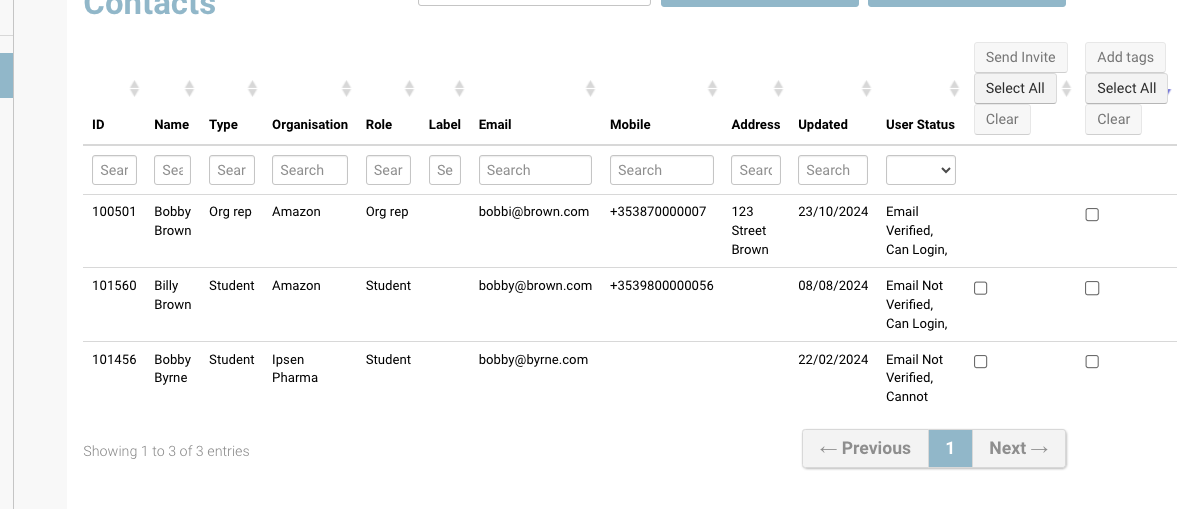
Review the Role column -
Navigate to the ‘View contacts user’ and select the button
-
On the next screen select ‘Edit’ button
-
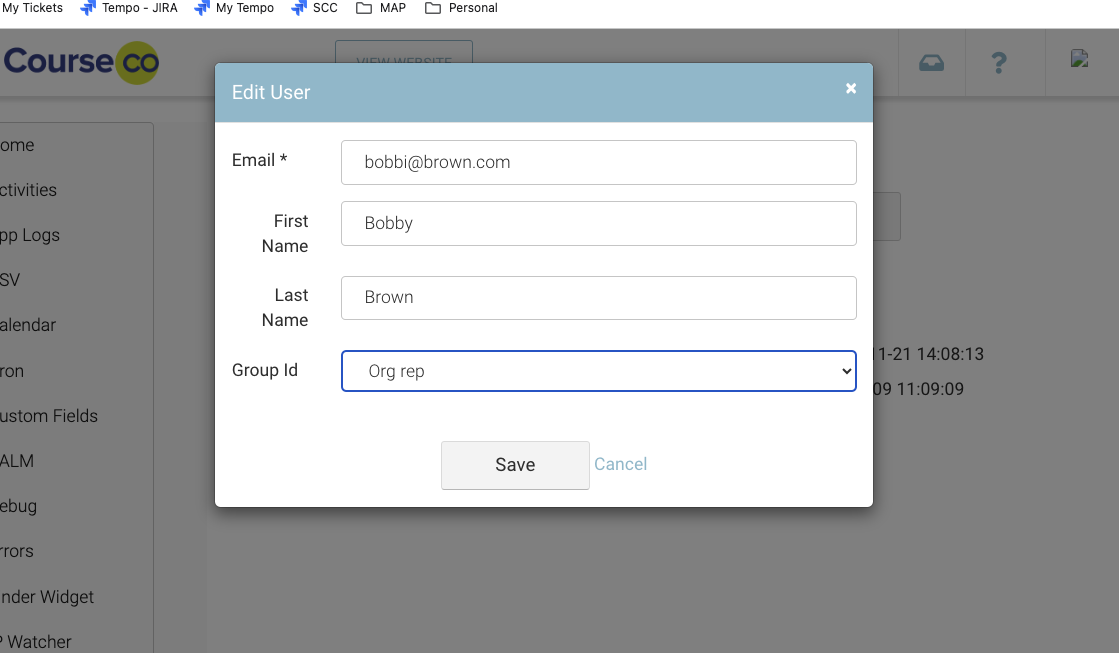
Edit the group ID Within the popup, select Group ID applicable to the contact + save.
Outcome:
Once the contact refreshes their screen or logs back in again, they will have the latest access.