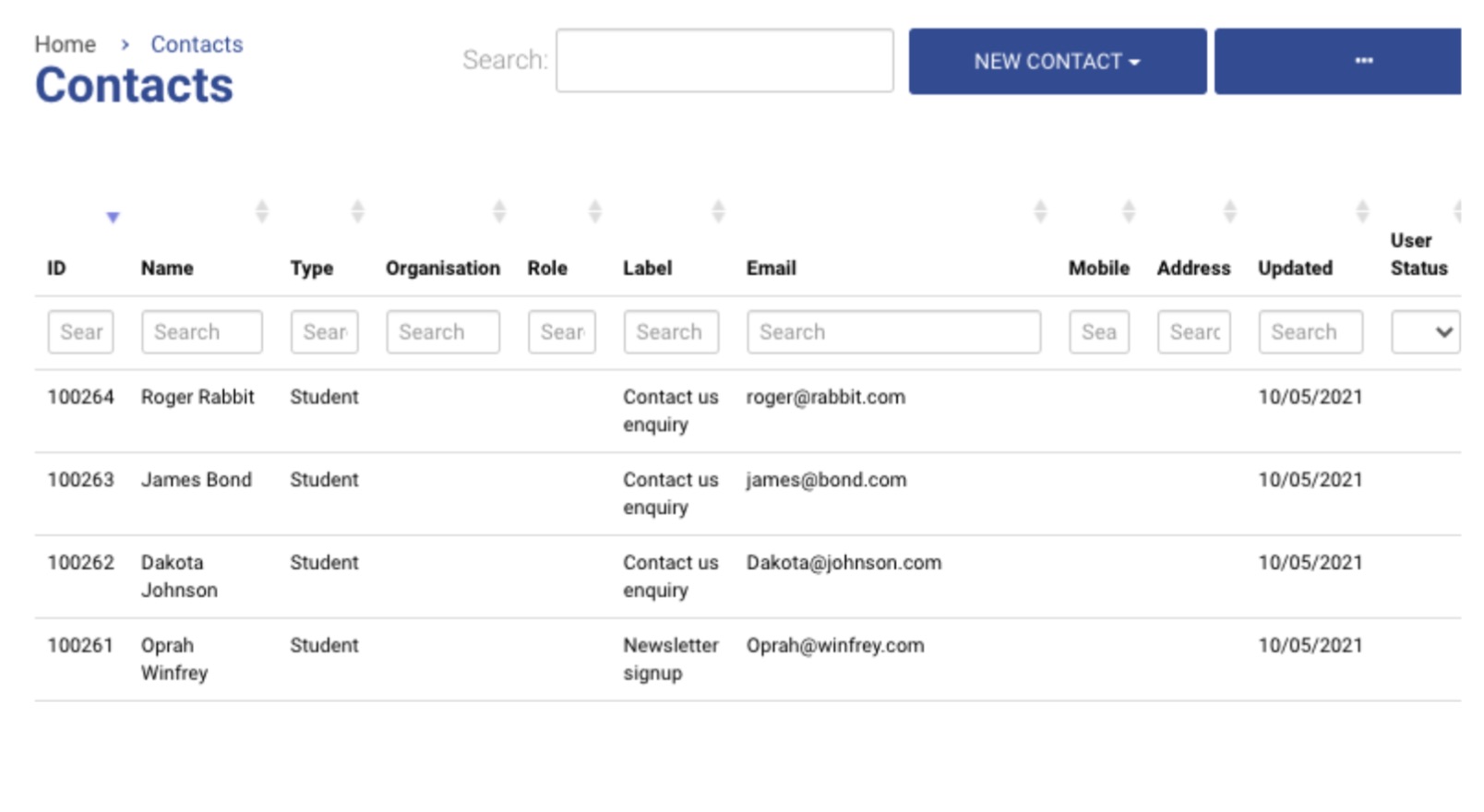
The Contacts module allows you to manage all your contacts, create different types of contacts, invite contacts, and import contacts.
For more information, refer to the following sections:
-
Adding Contact as an Admin -
Types of Contacts -
Invite a contact to login -
Admin | Inviting Contacts to login - Bulk Invite option -
Admin | Resend a invite email to a contact who has not logged in accepted/logged in yet -
Contacts - Manually assign a label to a contacts file -
Contacts - Advanced Bulk Assign Label/Tag Management -
Contacts | Manually Sharing Document to a contacts Portal -
GDPR Management & Automatic Contact Information Cleanse routines -
Invoice Bookings | Allow Approved Organisation Pay via Purchase Order/Invoice on the checkout -
Organisation Primary Contact Management (For accounts, booking emails..etc) -
Admin | Adding Internal Notes on a Contact file -
Bulk Importing CSV Contacts/Organisation to CourseCo -
Documents Tab: Adding/deleting/sharing Documents on a contact -
Merging Duplicate contacts -
Inactive Contacts / Archiving Contacts as an admin -
Contacts | Admin - Adding a profile image to a contacts file -
Contacts FAQ -
Contacts | Editing a contacts user level eg Student or Org Rep -
Admin | Editing a Contact’s Login Role -
Admin | Updating a Contact’s Marketing Preference -
Global Org Rep | Creating, Editing & Inviting Users -
Schedule Management | Create, edit, review -
Contacts | Adding a Trainer as a Contact -
Managing Contacts | User Login & Access