
In some scenarios, you may want to ‘de-activate’ a contact so they can no longer login to the platform / they will not appear in your contacts list screen.
This is a popular feature if you have previous staff members you no longer want logging into the platform.
as you know, at CourseCo we do not like ‘deleting’ contacts as there is a lot of data linked to them. This solution allows you ‘remove’ without fully deleting the contact from the system.
You can ‘re-activate’ contacts at anytime also! follow the steps below
Contacts | setting a contact as ‘inactive’
This feature is not enabled by default, please contact us if you would like us to enable this free feature.
-
Login as Admin
-
Open the contact you would like to set as Inactive
-
While on the contacts' detail screen, scroll to the end of the page
-
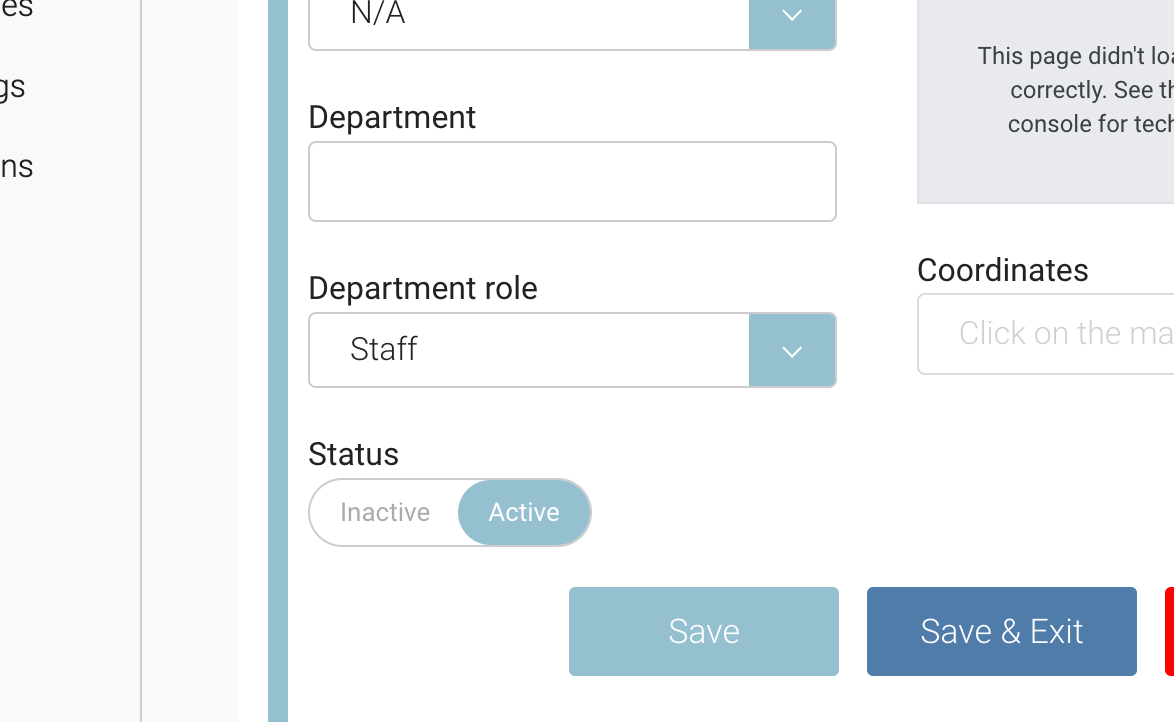
On the left of the screen, you will see a 'Status' section.
-
Toggle the contact from Active to Inactive + save
Outcome:
-
the contact will no longer appear in your contacts list screen
-
This contact will no longer be able to login to their portal. They will receive a ‘please contact admin to login’ message if attempted.
-
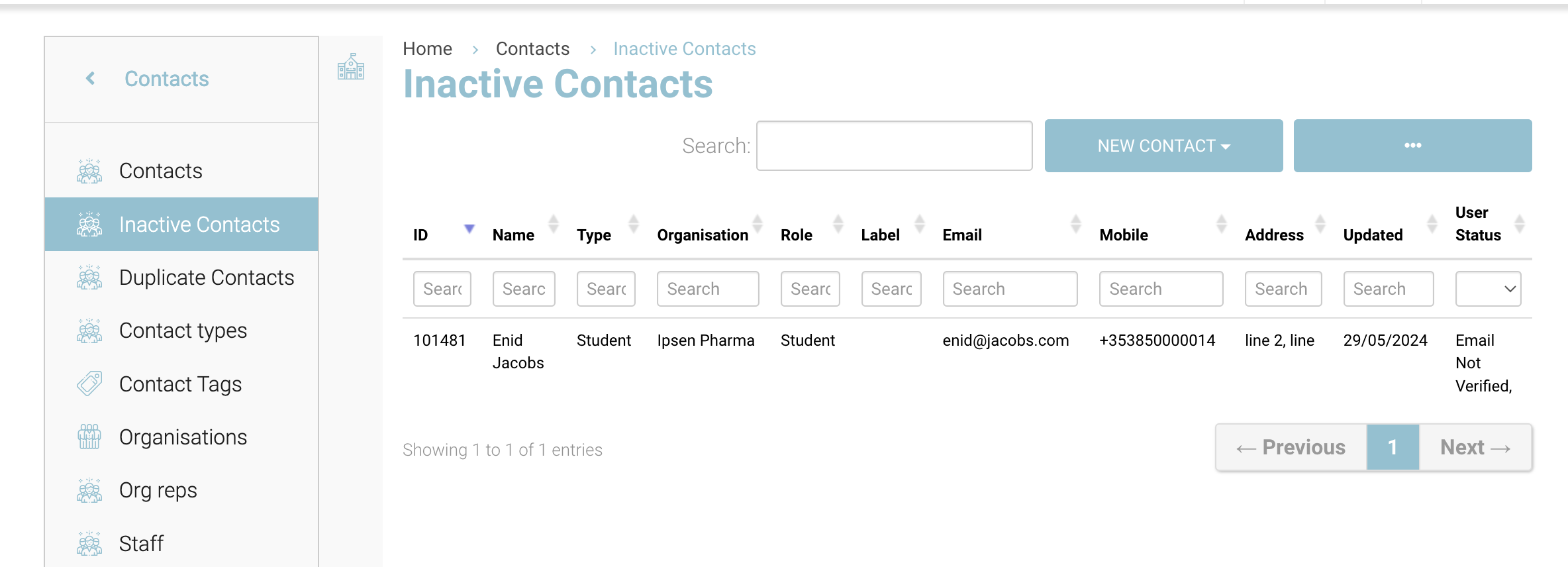
The contact can be accessed via the left menu > Inactive Contacts menu
Contacts | revert an Inactive contact to Active
-
Login as Admin
-
Open contacts and on the sub menu select ‘Inactive Contacts’
-
From the list of inactive contacts, search and select your contact
-
Scroll to the bottom of the screen and toggle the status from Inactive to Active + save
Outcome:
-
the contact will no longer appear in the Inactive Contacts screen
-
You can find the contact in Contacts list screen
-
The contact can login with the same credentials again or issue themselves a forgot password link to login again