
Benefits of using Sales Quotes
-
Admin can build a sales funnel of potential sales
-
Automatic reminder emails can be sent to sales quote bookings
-
Example x days after booking, send reminder, x days before training starts.
-
Remove the manual admin process of sending Sales Quote information
-
-
Run reports on Sales Quote booking
-
Review why sales quotes bookings did not convert
-
-
Once admin receives a PO, Just enter the PO and save, it is now a confirmed booking
How to create a Sales Quote Booking
-
Log in to the website as an Admin.
-
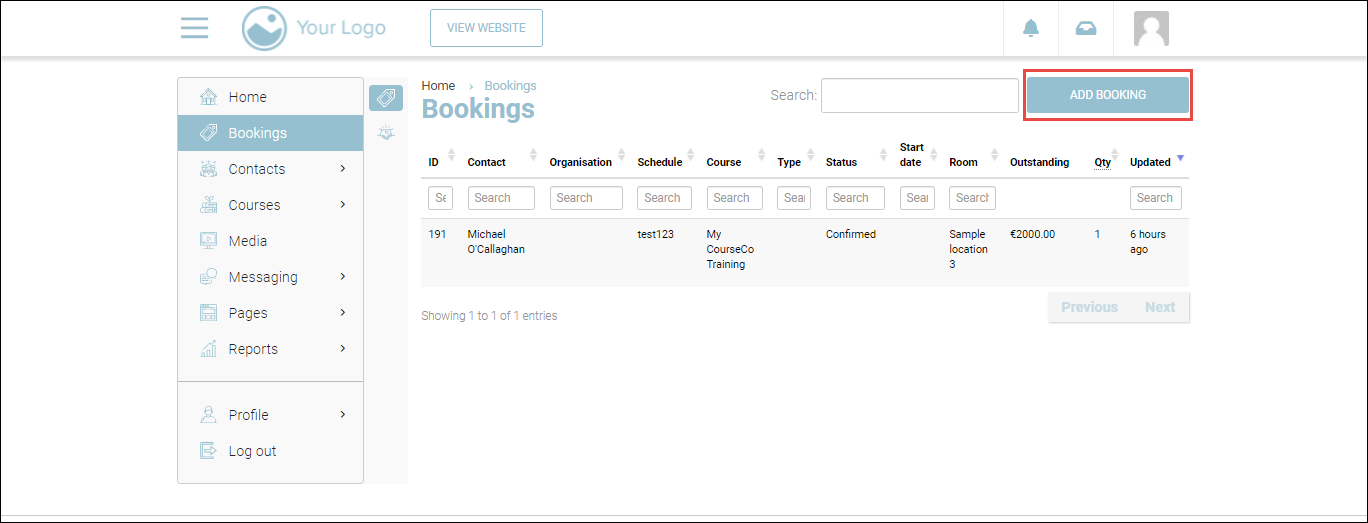
Navigate the Bookings module.
The Bookings page will be displayed.
-
Click ADD BOOKING.
-
Create a back-office booking.
Refer to https://ideabubble.atlassian.net/l/c/Q7dK6bGo for a complete guide on back-office bookings, including how to create them.
-
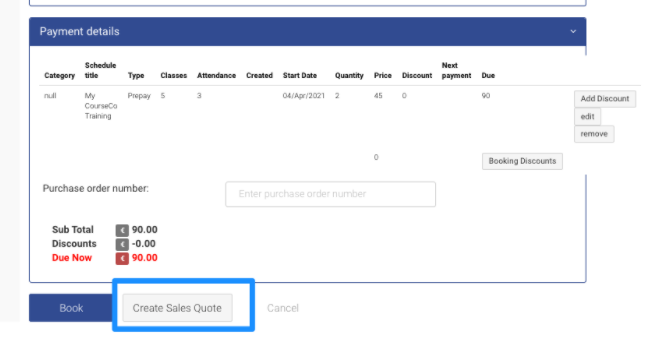
Ensure to leave the Purchase order number blank.
-
Click Create Sales Quote.
Prerequisite: Ensure you have selected the Sales Quote Payment option when creating the schedule.
Outcomes:
-
A Sales Quote confirmation mail will be sent to the lead booker.
-
Delegates added during the Backoffice booking will be invited to log in.
-
A Sales quote booking will be created with a unique Booking ID.
-
Attendance sheets will not display the delegates.
-
Reports do not include sales quote income or booking numbers.