
Benefits of using Sales Quotes
-
Admin can build a sales funnel of potential sales
-
Automatic reminder emails can be sent to sales quote bookings
-
Example x days after booking, send reminder, x days before training starts.
-
Remove the manual admin process of sending Sales Quote information
-
-
Run reports on Sales Quote booking
-
Review why sales quotes bookings did not convert
-
-
Once admin receives a PO, Just enter the PO and save, it is now a confirmed booking
How to create a Sales Quote booking on the website
-
Navigate to the website and log in as a Booker
-
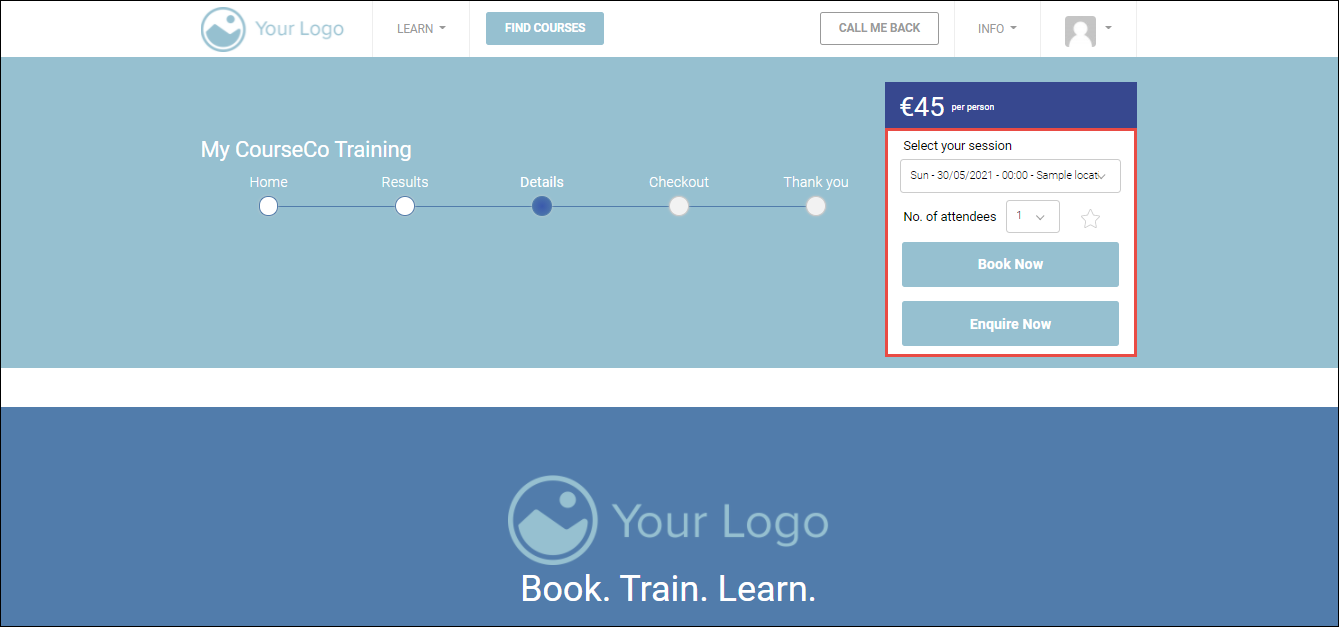
Find the course for which you want to Book / Process as Sales Quote
-
Select your schedule and No of attendees from the respective dropdown lists.
-
Click Book Now.
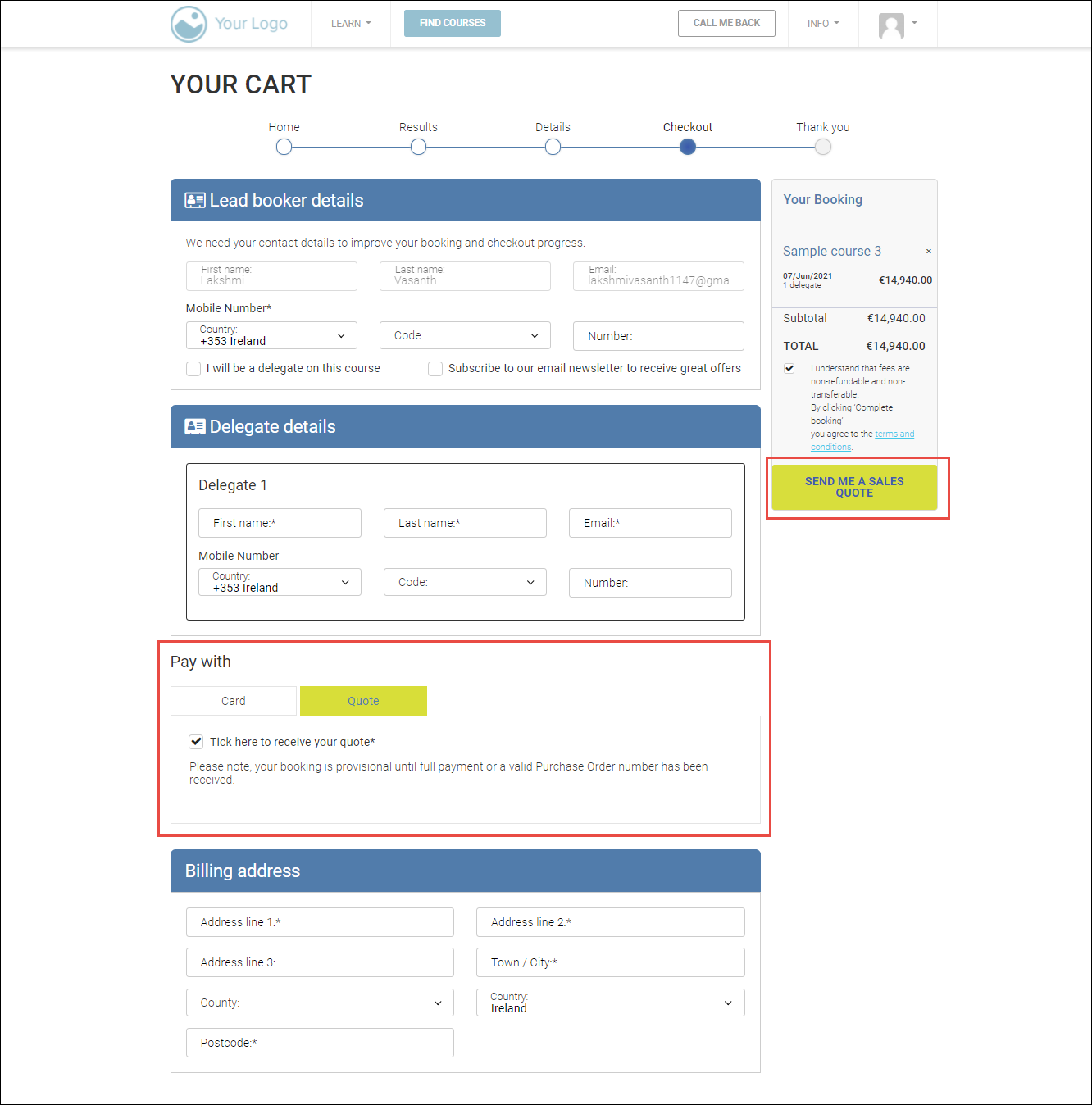
YOUR CART page will be displayed.
-
In the Delegate details section, enter the first name, last name, email, and mobile number in the appropriate fields.
-
In the Pay with section, click the Quote tab and check the Tick here to receive your quote* option.
-
In the Billing address section, enter the billing address details.
-
In the Booking section on the right side, click SEND ME A SALES QUOTE.
Outcomes:
-
The sales quote will be created.
-
You will receive the sales quote to your registered email address.
-
The delegates will be added to your contacts.
-
The Org Rep will be updated with the sales quote booking in their portal.
-
Email invites will be sent to the delegates.