
⚠️ This feature is not enabled by default. Edit Transaction is a sensitive feature and must be enabled by your system administrator before use.
Overview
The Edit Transaction feature allows administrators to edit the delegate quantity on a booking after it has been confirmed. This is not intended for regular use and should only be used when a quantity adjustment is required — typically to increase the delegate amount.
When to Use This Feature
-
You need to adjust the delegate quantity on an already confirmed booking.
-
The change is typically an increase to the original quantity, use cancel delegate to reduce the qty.
-
You understand the financial implications and are prepared to manage them manually.
How to Edit Delegate Quantity
-
Open the confirmed booking you wish to edit.
-
Select Edit Transaction from the available actions.
-
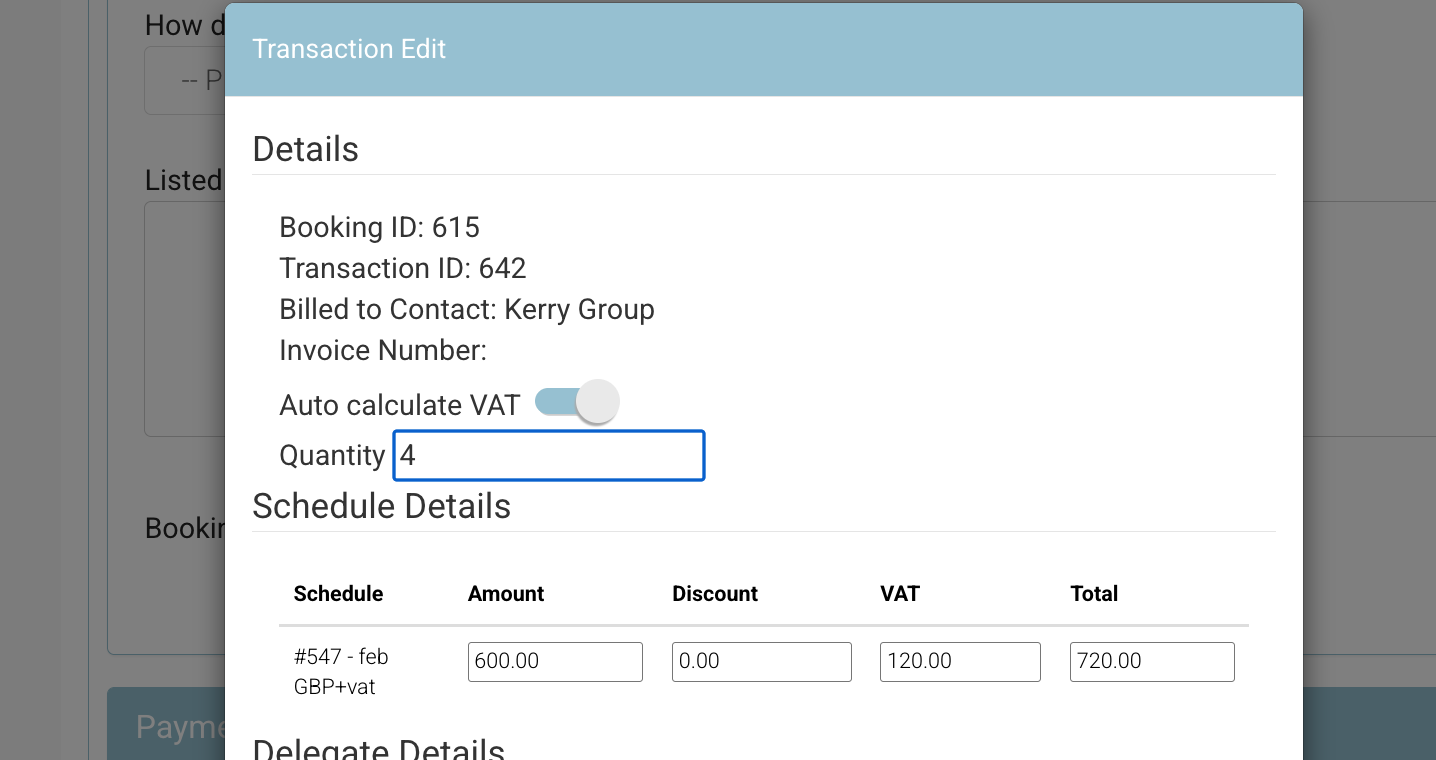
Update the delegate quantity to the new amount.
-
Save the changes.
Important: Financial Values Are Not Updated
Editing the delegate quantity does not automatically update any financial values associated with the booking. After making a quantity change, the administrator must:
-
Manually recalculate any affected financial amounts.
-
Retrigger emails to notify relevant parties of the changes.
-
Reissue or update invoices to reflect the new quantity.
Failure to complete these steps may result in billing discrepancies.
Disclaimer
CourseCo is not responsible for any edits made using the Edit Transaction feature. It is the administrator's responsibility to double-check all changes and ensure that financial records, communications, and invoices are updated accordingly.
Capacity Checks
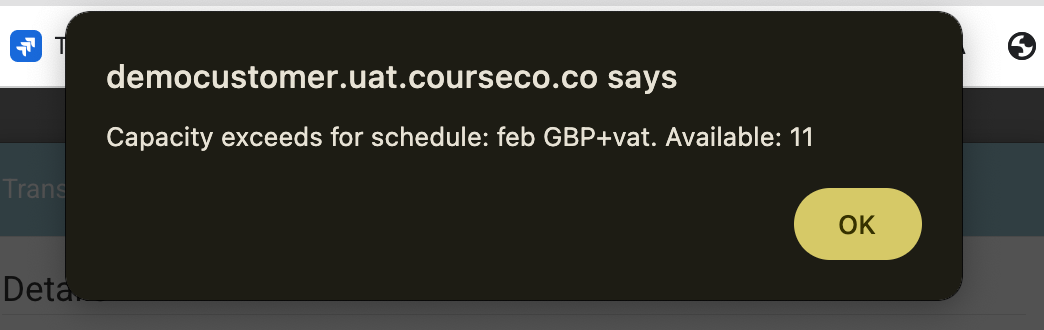
Capacity checks are performed when increasing delegate quantity to ensure you do not exceed the remaining capacity. Always double-check capacity before saving your changes.
Summary
|
Item |
Detail |
|---|---|
|
Feature |
Edit Transaction – Delegate Quantity |
|
Enabled by Default |
No — must be enabled by an administrator |
|
Typical Use |
Increasing delegate quantity on a confirmed booking |
|
Financial Impact |
None — must be managed manually |
|
Email / Invoice Updates |
Must be retriggered manually by admin |
|
Responsibility |
Administrator — CourseCo is not liable for edits |