This is an Add on Feature, contact us to get a demo!
⭐ Benefits of Additional Items for the checkout⭐
-
Add extra items to display when creating the booking for selected schedules only
-
Admins can set as Mandatory yes/no
-
Admins can set if VAT is applied for this item
-
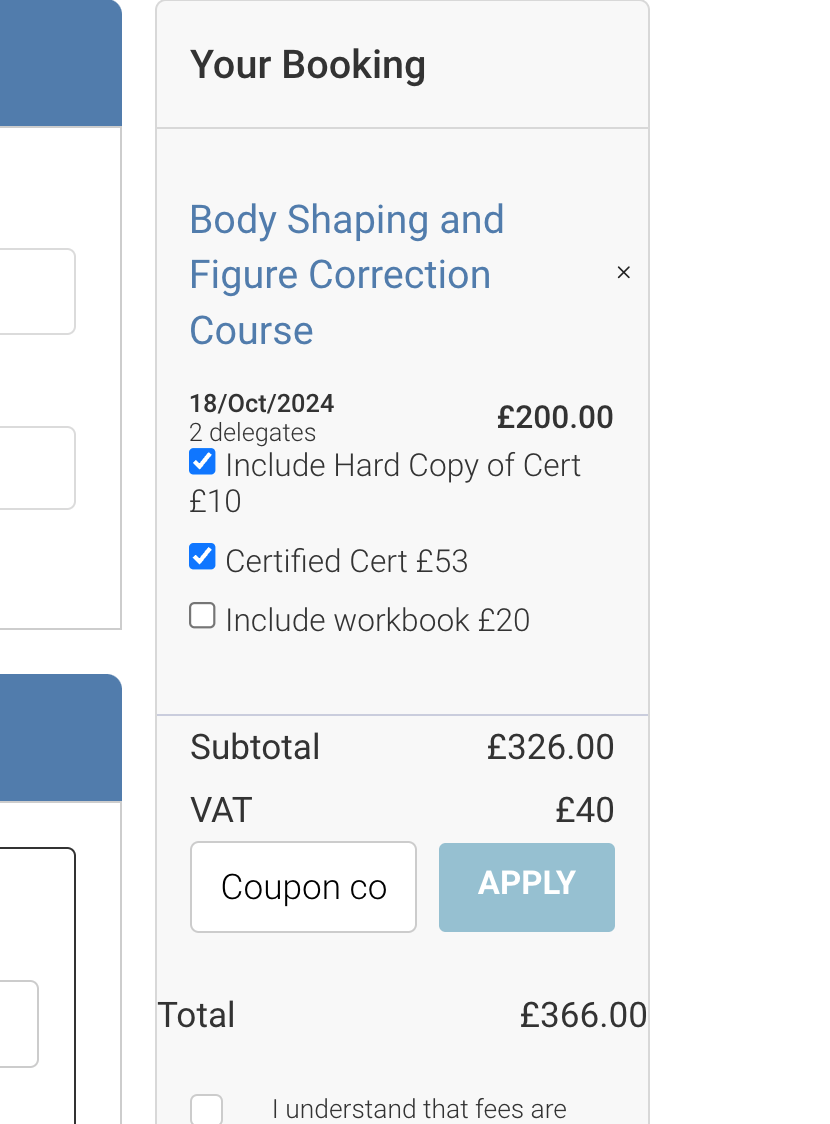
Website and backoffice bookings can display these additional items at the checkout and take payment for this item
-
Examples - Additional cost needed for 3rd party certs, optional equipment for the training, include a training book…etc.
Admin | Adding new additional items i.e. the lookup
-
Login as Admin
-
Open Courses
-
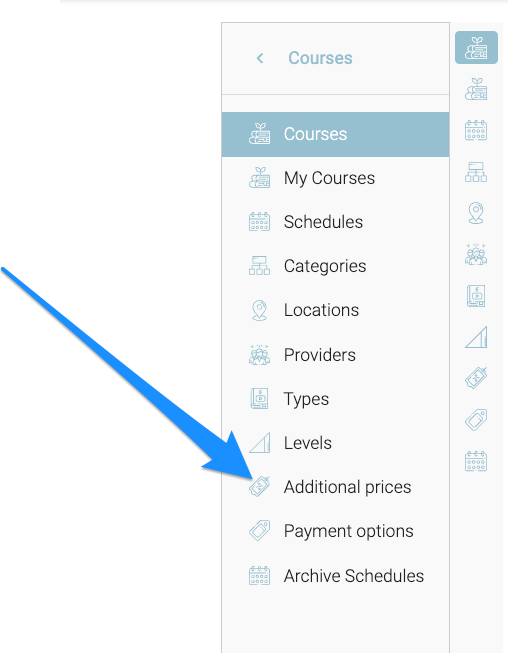
Using the left menu select Additional Prices
-
-
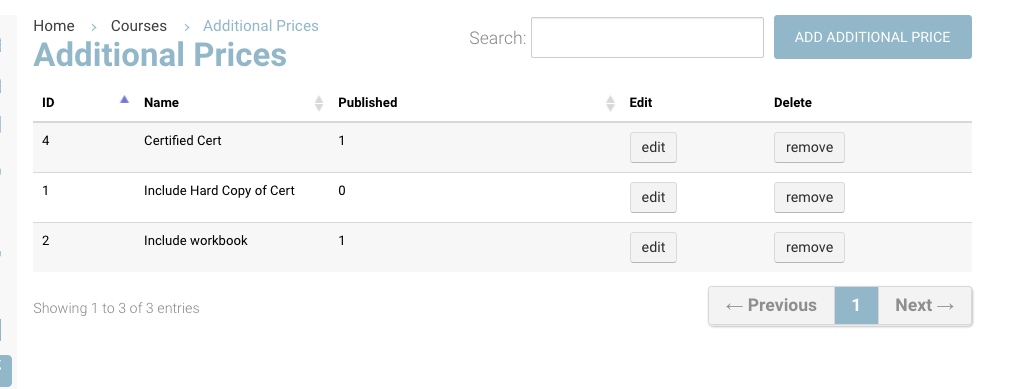
Select Add additional Price
-
Ensure to publish it
-
-
Enter a title of the item and Save
Outcome:
-
The additional item is now added and can be applied to a schedule.
Admin | Schedules - adding additional items on the schedule
-
Open courses and schedule
-
Search and select the schedule
-
Select the Fees tab
-
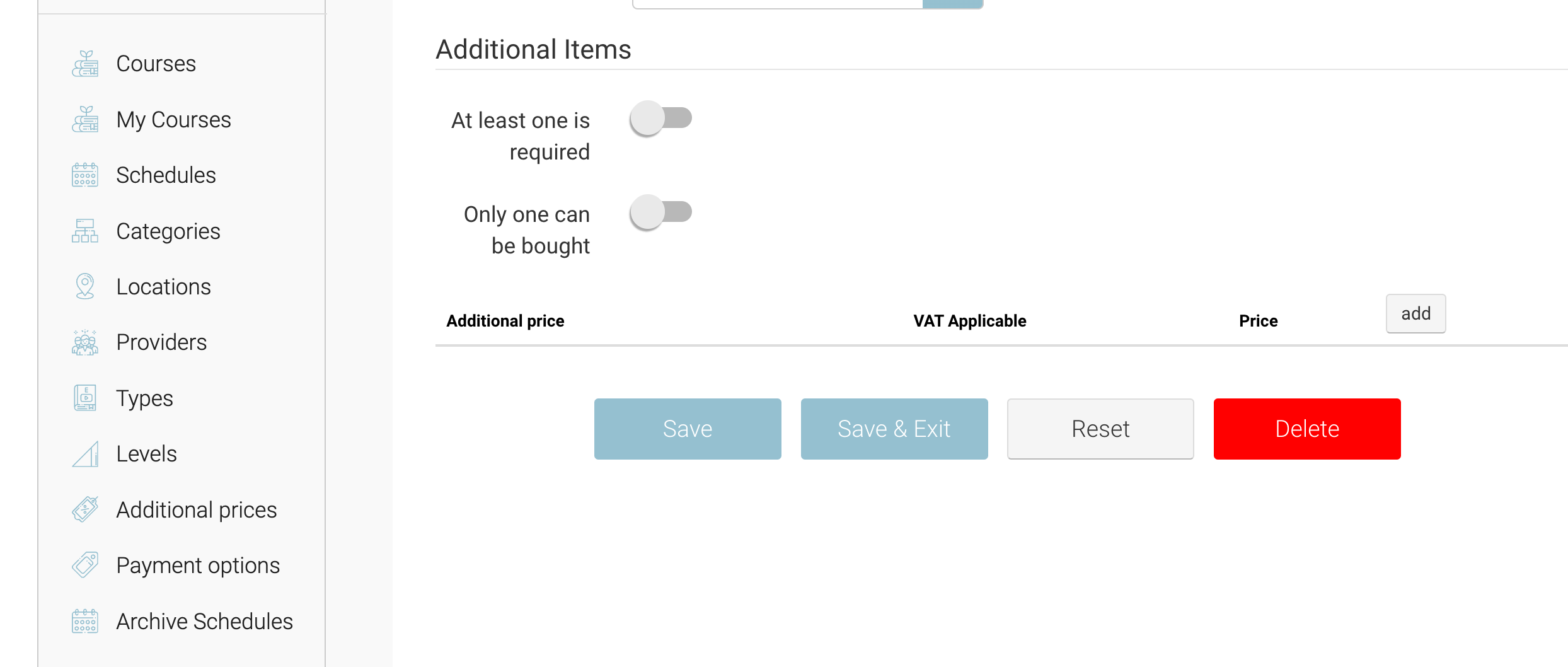
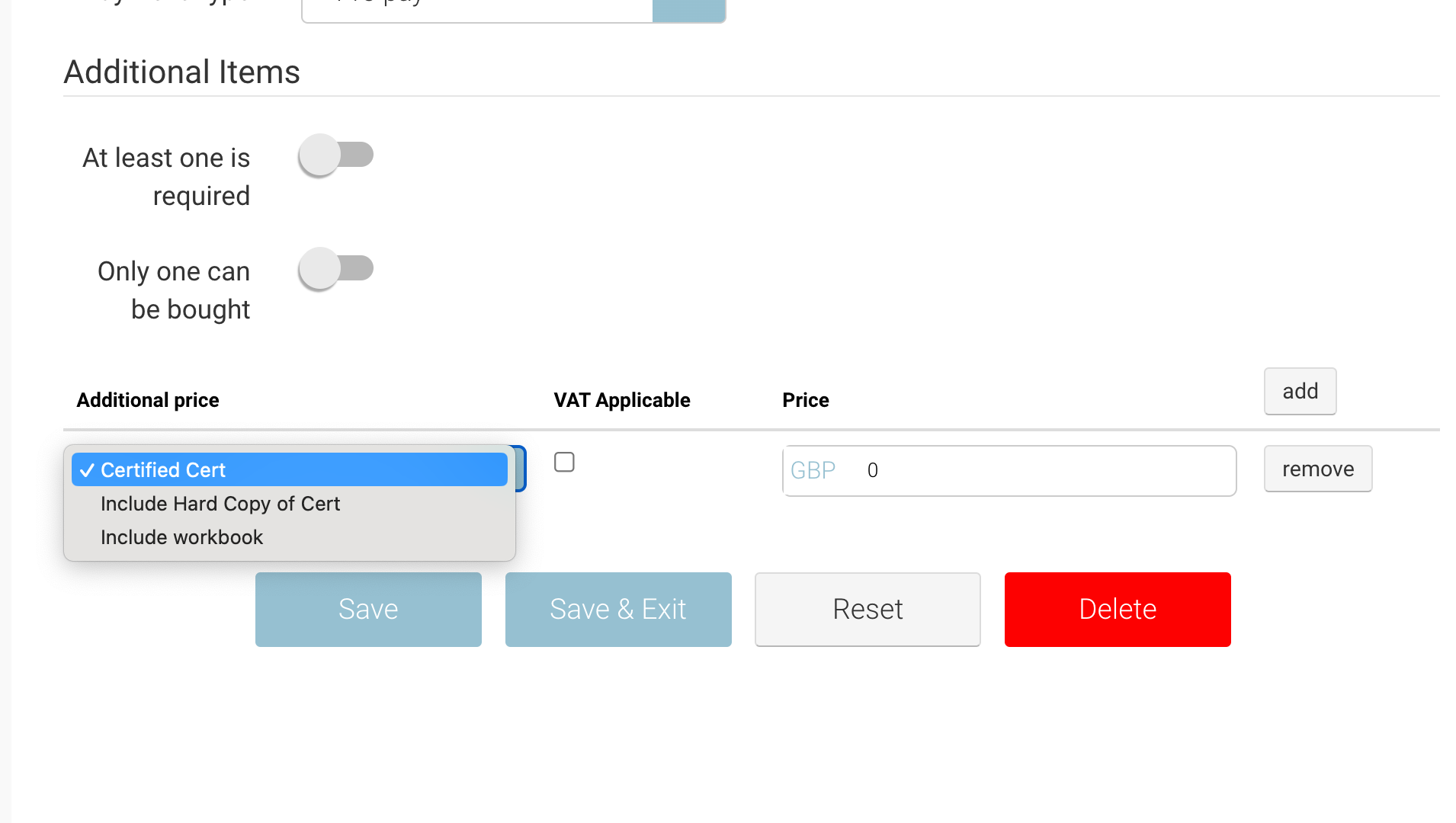
Jump down to the additional price section and select Add
-
You can add multiple and select the item and apply the price (ex vat)
-
Other items to consider
-
At least one is required toggle - this will hard stop the booker (admin/booker) from proceeding without selecting 1
-
Only one can be bought - means they can’t select x2
-
VAT Applicable tick box - the price added is excluding VAT
-
-
Save schedule
Outcome:
-
This schedule will have the additional items displayed on the checkout and when creating a back office booking.
-
IF you duplicate a schedule, it will automatically add the additional items also.
Admin | Create booking with additional item
-
As admin open bookings and add booking
-
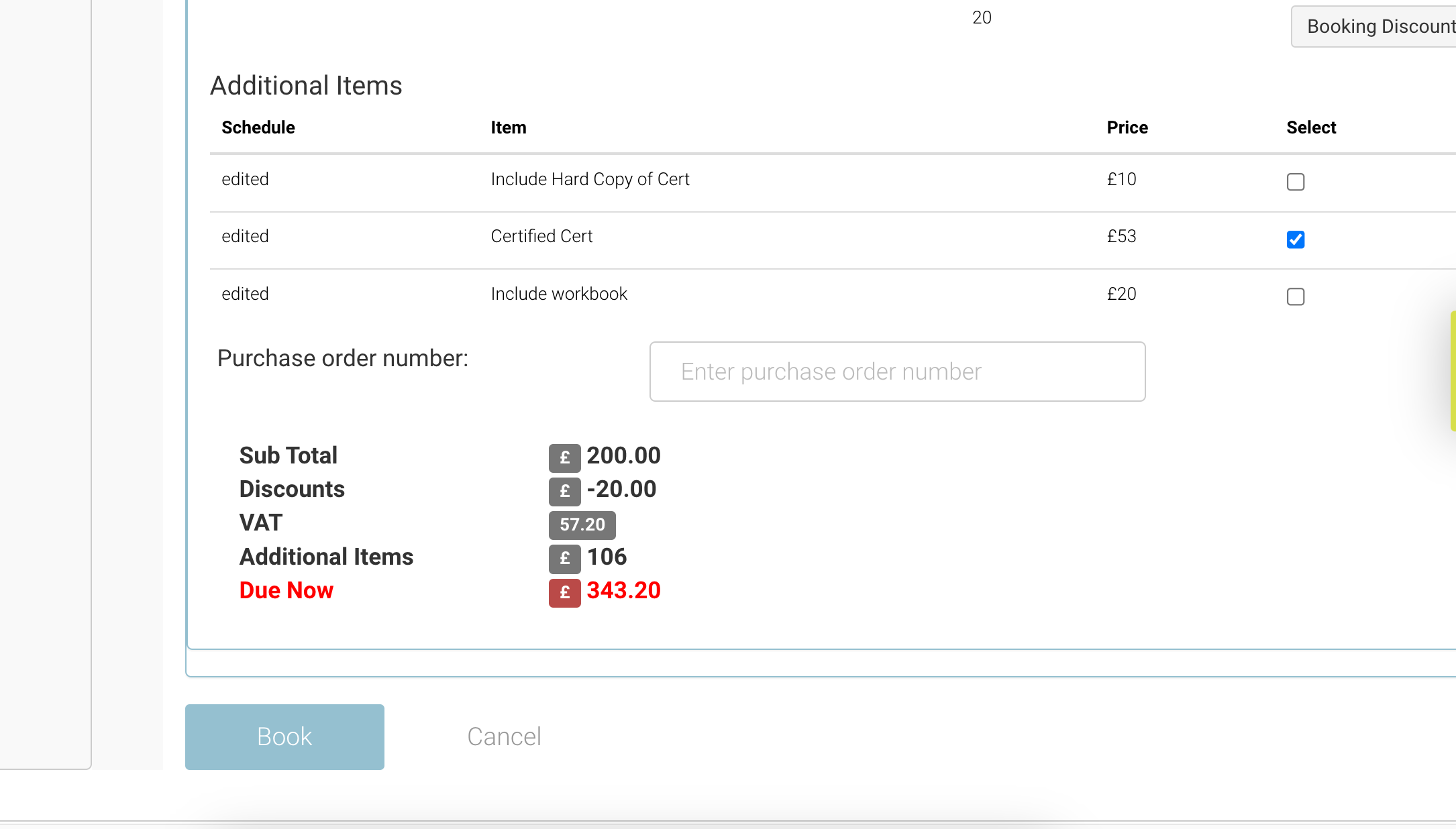
Once the attendees are added and the schedule is selected the admin will see the additional items section and can select the applicable item
-
The price breakdown will update and reflect the additional items
-
Admin can complete booking now
Outcome:
-
The booking is confirmed
-
The additional items are charged
-
The additional items will be ticked and displayed on the booking
-
The booking confirmation email to the student can include the additional items selected.
Create booking | add item
Website | adding additional items on the checkout
-
Complete login/sign up
-
Proceed to the checkout with an applicable schedule
-
Tick the applicable items
-
Complete booking
Outcome
-
The additional items have been charged along with the booking
-
A booking confirmation with the additional items selected can populate in the specified emails
-
Admin can open the booking and view the selected additional items.