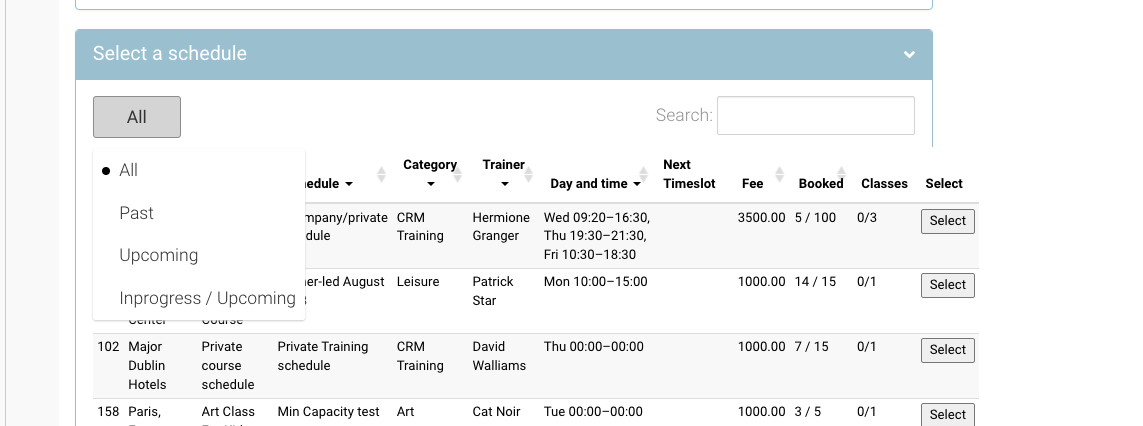
In some rare occasions, you may need to create bookings for schedules in the past i.e. the training happened already.
This is really easy and is the same process as creating a new booking, you just need to adjust your Schedule filter. Follow the steps below.
-
Login as Admin
-
Open Bookings > Add booking
-
Enter the organisation / leadbooker / delegate names
-
In the Select a schedule section, use the Range filter
-
By default, Upcoming is selected
-
Edit to PAST
-
Search and select your schedule
-
-
Complete your booking
Searching by Schedule ID is a quick way to find your schedule.
Outcome:
-
Booking is completed
-
IF PO number was entered a booking confirmation email will send