
Benefits of using Sales Quotes
-
Admin can build a sales funnel of potential sales
-
Automatic reminder emails can be sent to sales quote bookings
-
Example x days after booking, send reminder, x days before training starts.
-
Remove the manual admin process of sending Sales Quote information
-
-
Run reports on Sales Quote booking
-
Review why sales quotes bookings did not convert
-
-
Once admin receives a PO, Just enter the PO and save, it is now a confirmed booking
How to allow sales quotes for a schedule
-
Login as Admin
-
Navigate to Courses > Schedules.
-
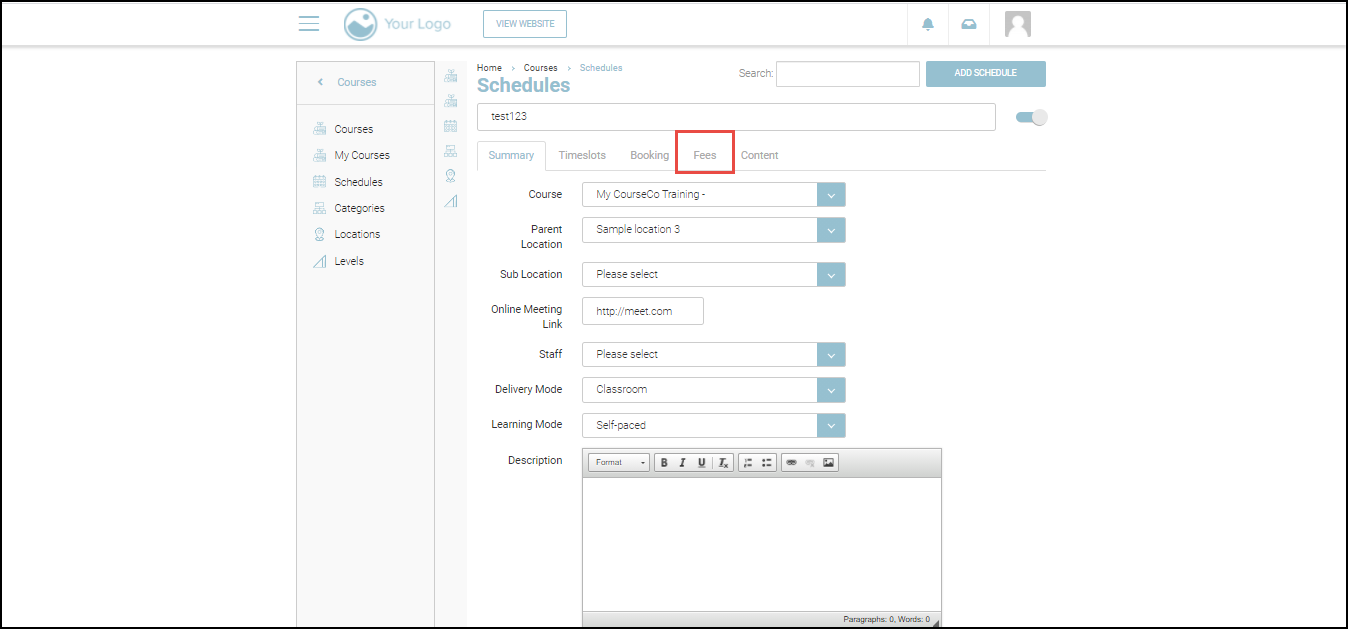
Search and click the schedule for which you want to enable the sales quote option.
The Summary tab will be displayed.
-
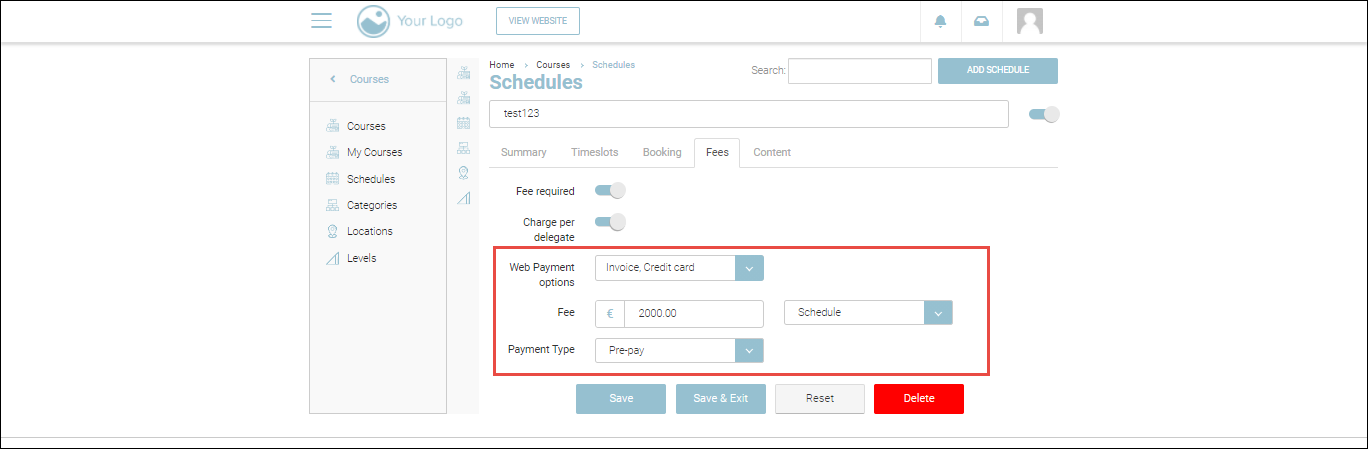
Navigate to the Fees tab.
-
In the Web Payment options dropdown list, check the Sales Quote option
-
Click Save or Save & Exit.
Outcomes:
-
Sales quote will be enabled for the selected course.
-
When the schedule is added to the cart, “Sales Quote” will be shown as an additional payment option for individuals and Org Reps.
-
When administrators create a back-office booking, sales quotes will be available for single and organisation bookings as a payment option.