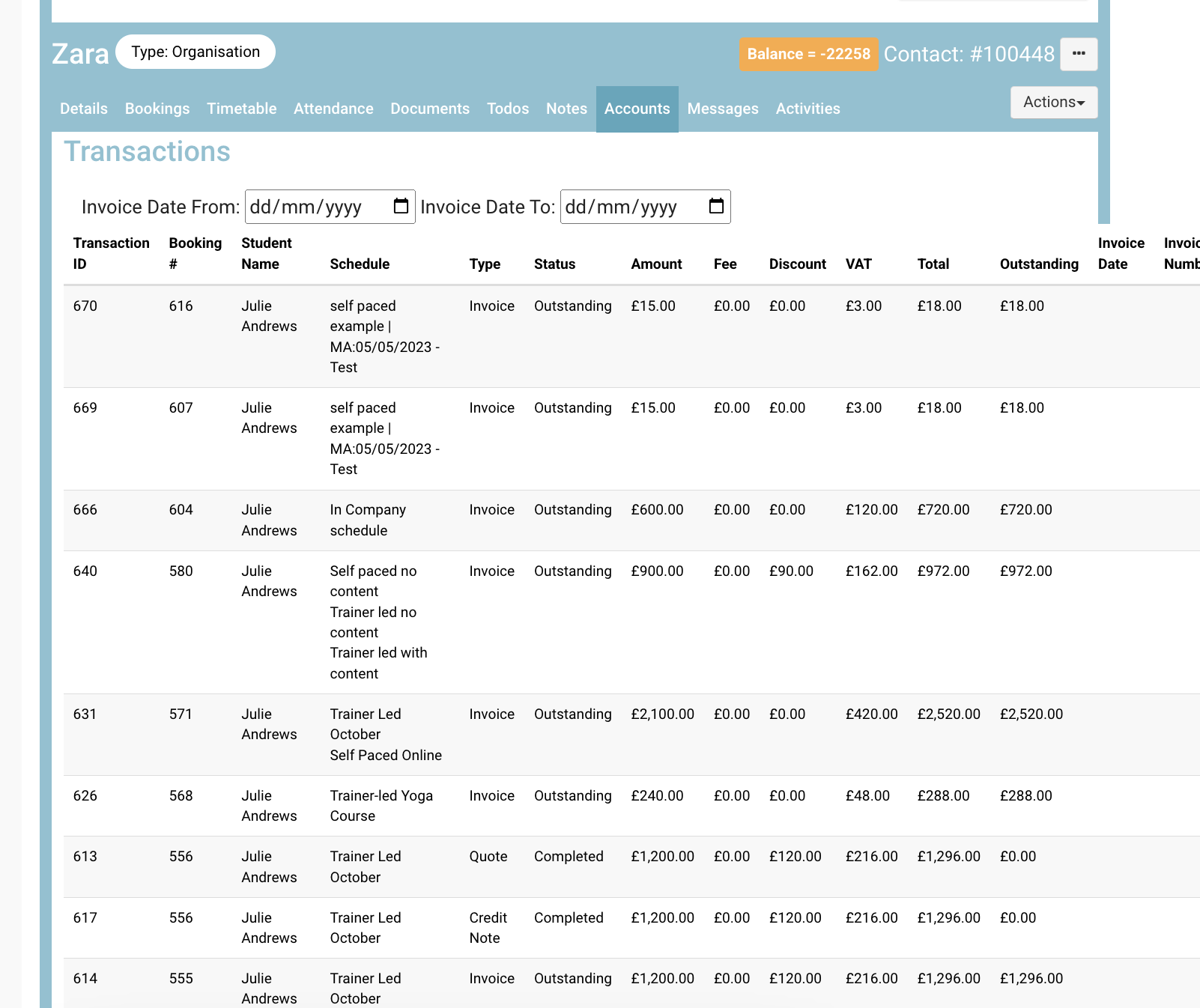
By linking a contact to their organisation, you can see all of the bookings and accounts linked to that contacts organisation
Viewing an Organisations' contacts
-
Login as Admin
-
Open contacts and select a contact (student, org rep or organisation)
linked to an organisation
-
While on the contact file, scroll up
Outcome:
You can see all the members linked to this contact due to all being linked to the same company
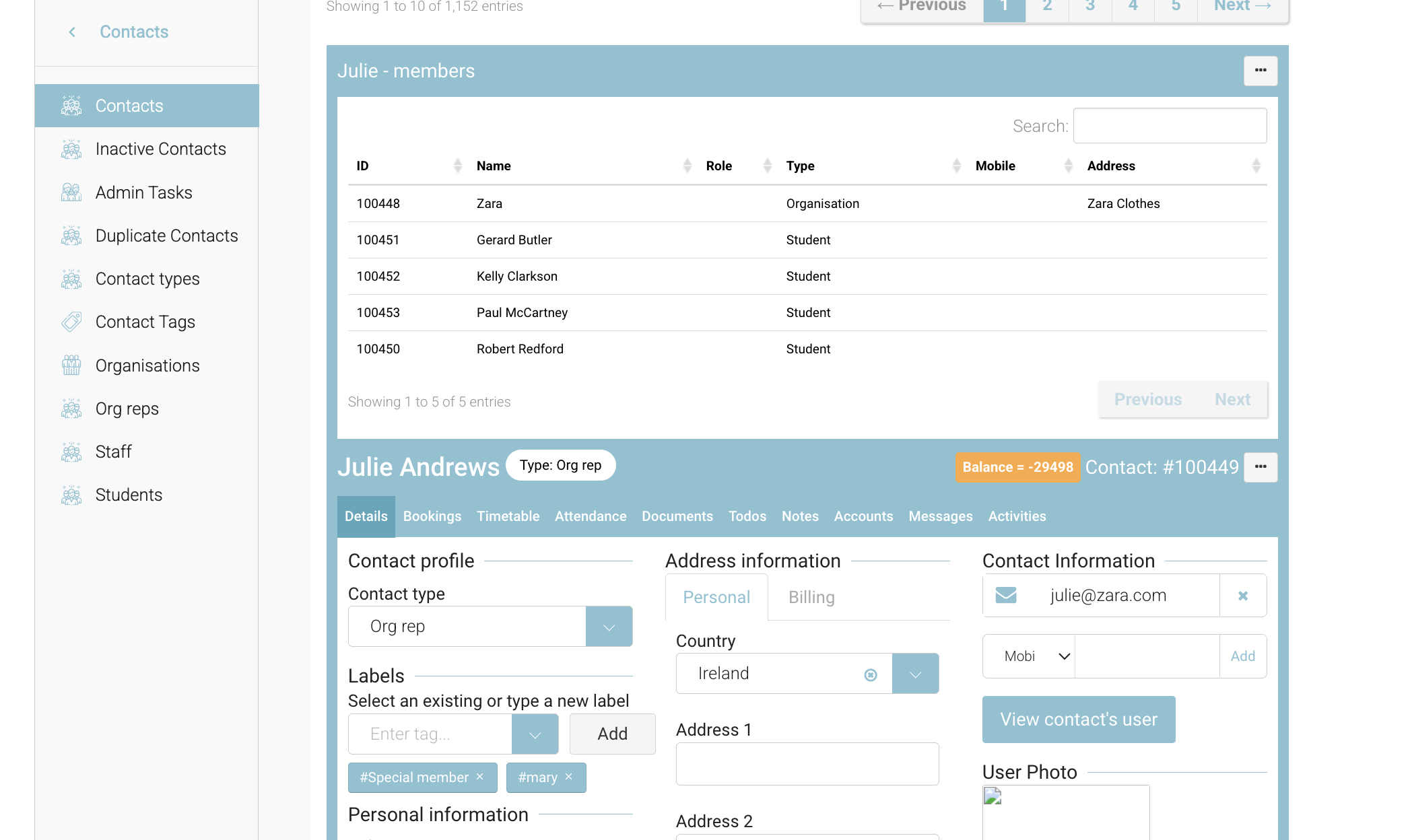
Viewing the organisations bookings
-
Login as admin and open contacts
-
Search and select an organisation
-
Navigate to the bookings tab
Outcome:
You can see all of the bookings related to that organisation
This is a useful feature when you have multiple bookers (org reps) in the one organisation.
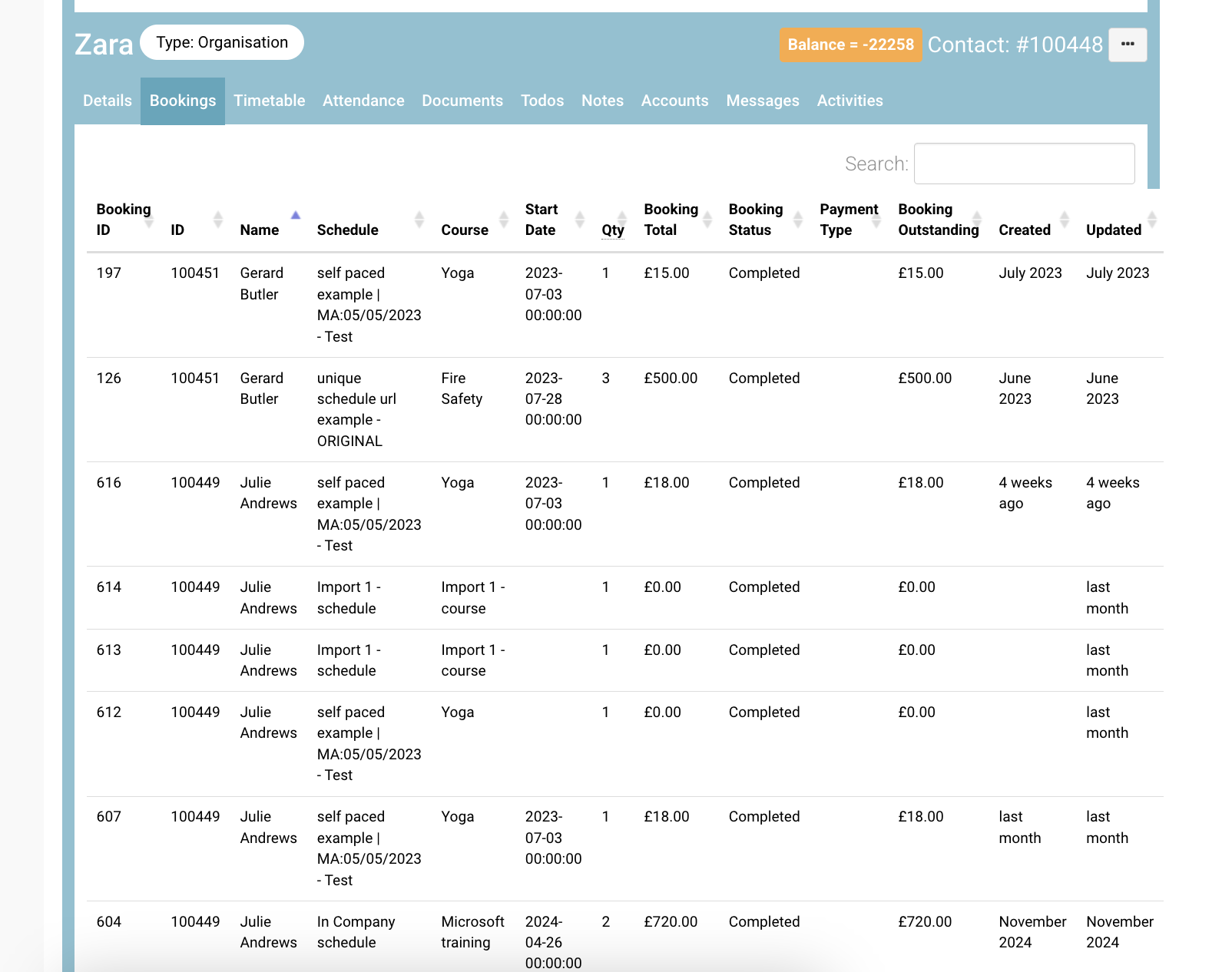
View organisations overall accounts/transactions
-
Like above, login as admin open an organisation contact
-
Navigate to the accounts tab
Outcome:
-
You can view all transactions related to that organisation in 1 place
-
IF the booking was made against the organisation (not the booker) you can make payments here also.
A transaction sits against the booker (not the organisation) - they are just visible on the organisation*
*Unless you have added on ‘super booker’ add on - in this case admin have the option to bill to an organisation, not a booker.