
Scenario
A delegate has prepaid for a booking (e.g. via credit card), but now needs to be cancelled. You’ll cancel their place, issue a credit note, and refund their payment.
🧾 Step 1: Cancel the Delegate from the Booking
-
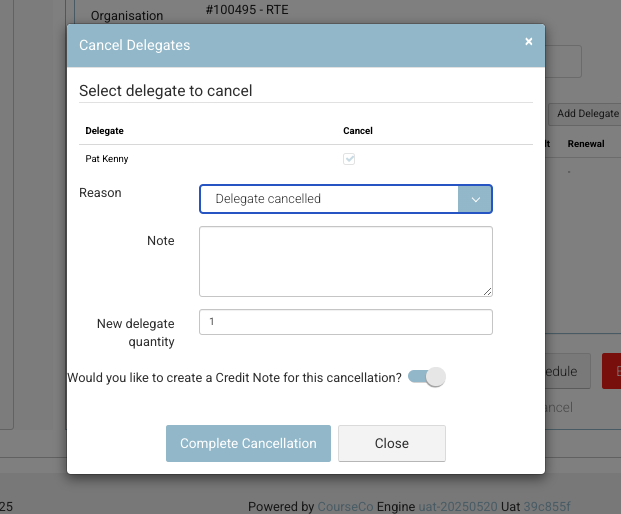
Open the Booking from the system.
-
Click Cancel Delegate.
-
Select the delegate you wish to cancel.
-
Ensure ‘Create Credit Note’ is toggled ON.
-
Click Complete Cancellation.
📄 Step 2: Review the Credit Note
-
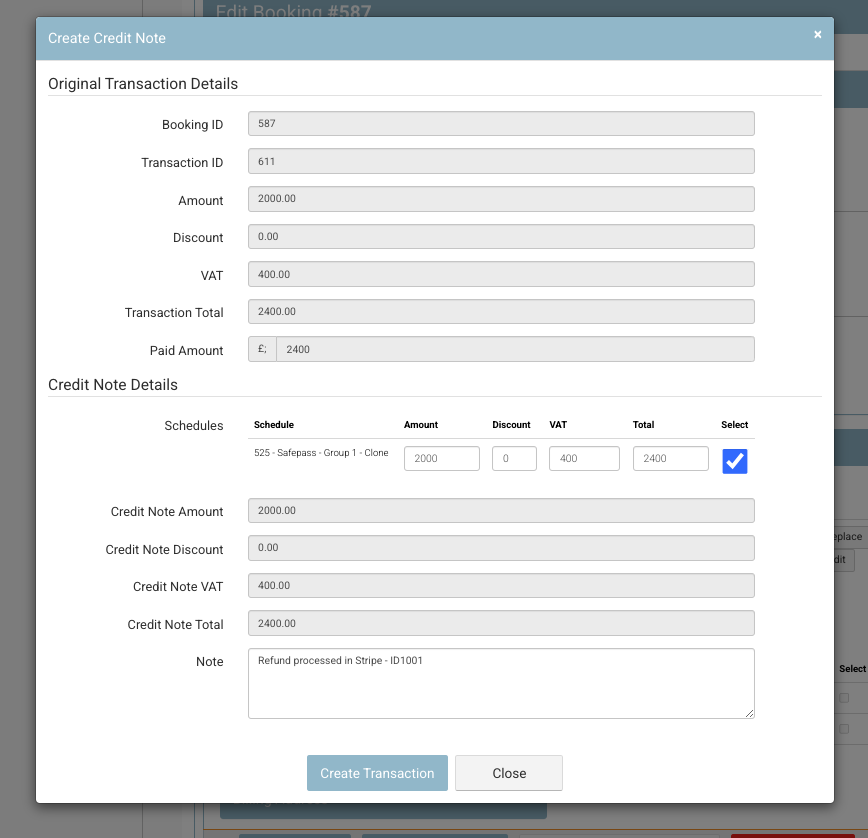
You’ll now see the Credit Note screen.
-
By default, the system will assume a full credit for the delegate’s place.
-
Optionally, add an internal note for context (e.g. "Requested refund via Stripe").
-
Click Complete Credit Note.
🟢 Outcome:
The delegate is now cancelled and a credit note for their payment amount has been issued to their account.
💳 Step 3: Refund the Money
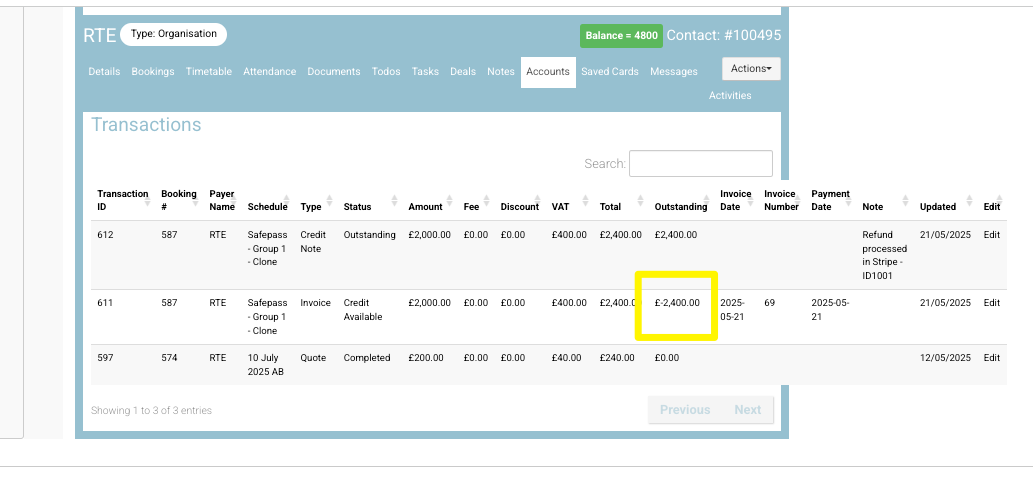
The delegate now has credit on their account, but since you’re issuing a refund, you’ll need to apply a payment against the credit.
When you see a minus transaction, this means its a credit i.e. your company owes this credit value to the contact (eg £-2,400)
-
Go to the delegate's account or credit note.
-
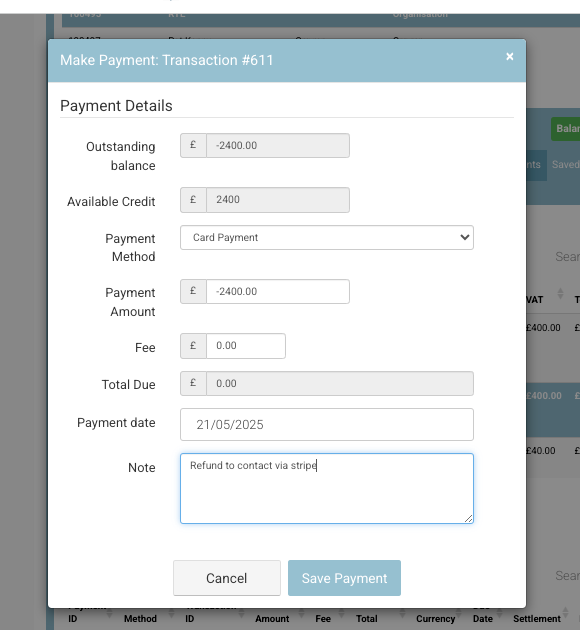
Choose Make a Payment against the credit.
-
Set the Payment Method to either:
-
Card Payment (if they paid via Stripe)
-
Bank Transfer (if you're refunding manually)
-
-
Add a note:
➤ "Refunded via Stripe" (or bank, as appropriate) -
Complete the payment.
🔁 Step 4: Refund via Stripe (if applicable)
-
Open your Stripe dashboard.
-
Locate the original payment (search by email, name, or transaction ID).
-
Click Refund and confirm the full amount (matching the credit note).
-
Submit the refund.
✅ Final Outcome
-
The delegate has been removed from the booking.
-
A credit note was created for the value of their booking.
-
You’ve refunded the amount either via Stripe or bank transfer.
-
Their credit balance is now cleared.