
Overview
Statement generation allows admins to produce a formal statement of account for an organisation, summarising selected transactions. This feature requires the CourseCos Invoicing Add-on to be enabled.
Prerequisites
-
The CourseCos Invoicing Add-on must be installed and active
-
Your statement document needs to be installed by CourseCo support - open a support ticket and we can install.
-
You must have admin access.
How to Generate a Statement
Step 1: Open the Organisation
Navigate to contacts and open the relevant Organisation record.
Step 2: Go to the Accounts Tab
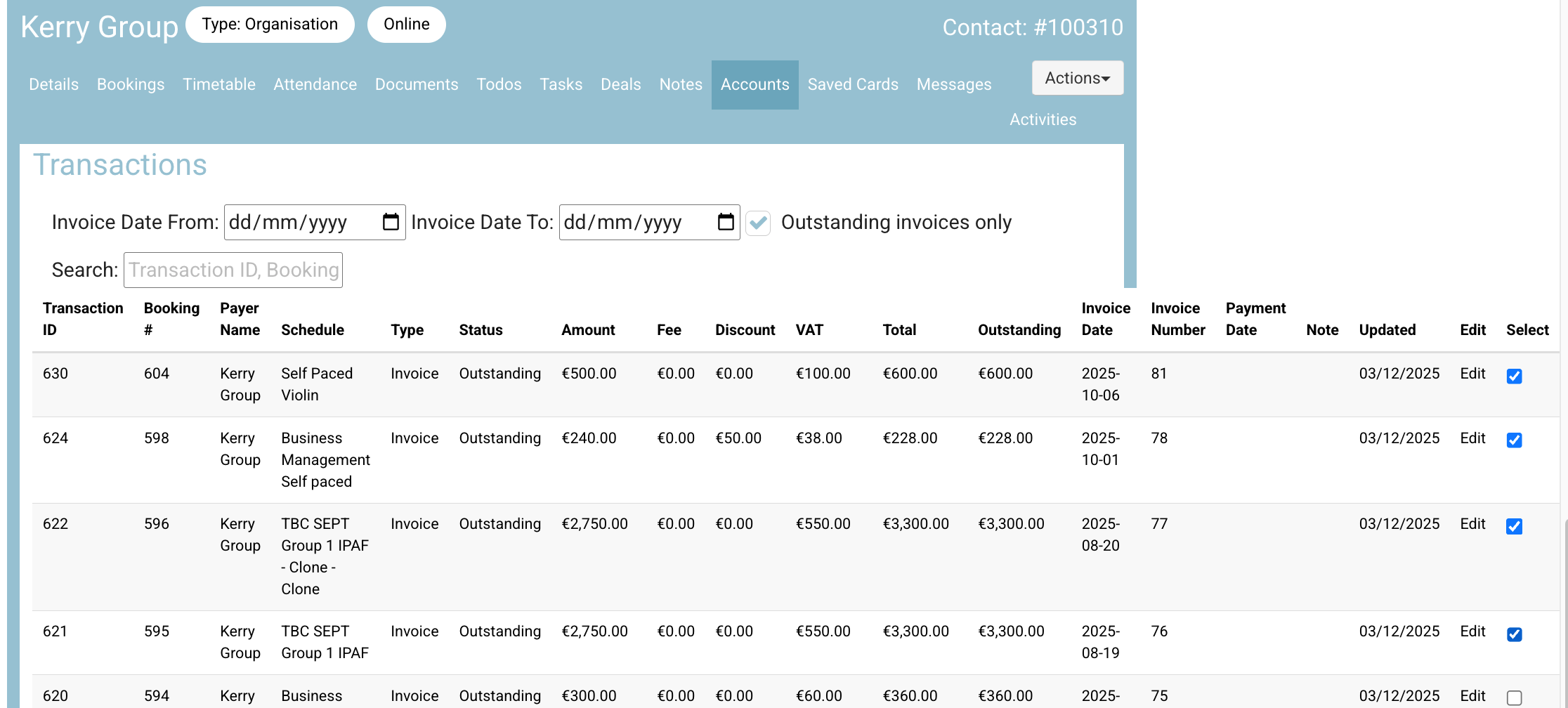
Select the Accounts tab on that organisation. This tab lists all transactions associated with the organisation.
Tip: Use the "Outstanding invoices only" filter to narrow the list to only transactions that have an invoice raised and are still outstanding.
Step 3: Select Transactions
Select or multi-select the transactions you want to include on the statement.
Step 4: Generate the Statement
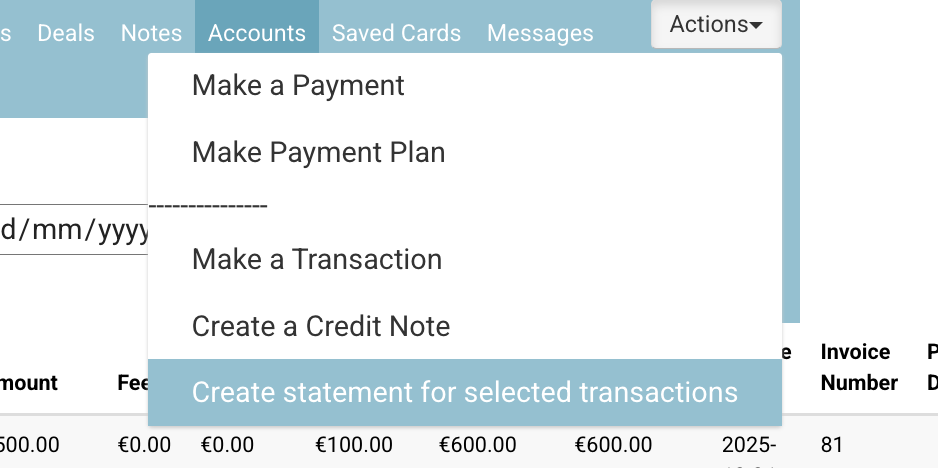
Once the applicable transactions are selected, go to Actions > Generate a Statement.
Step 5: Find the Generated Statement
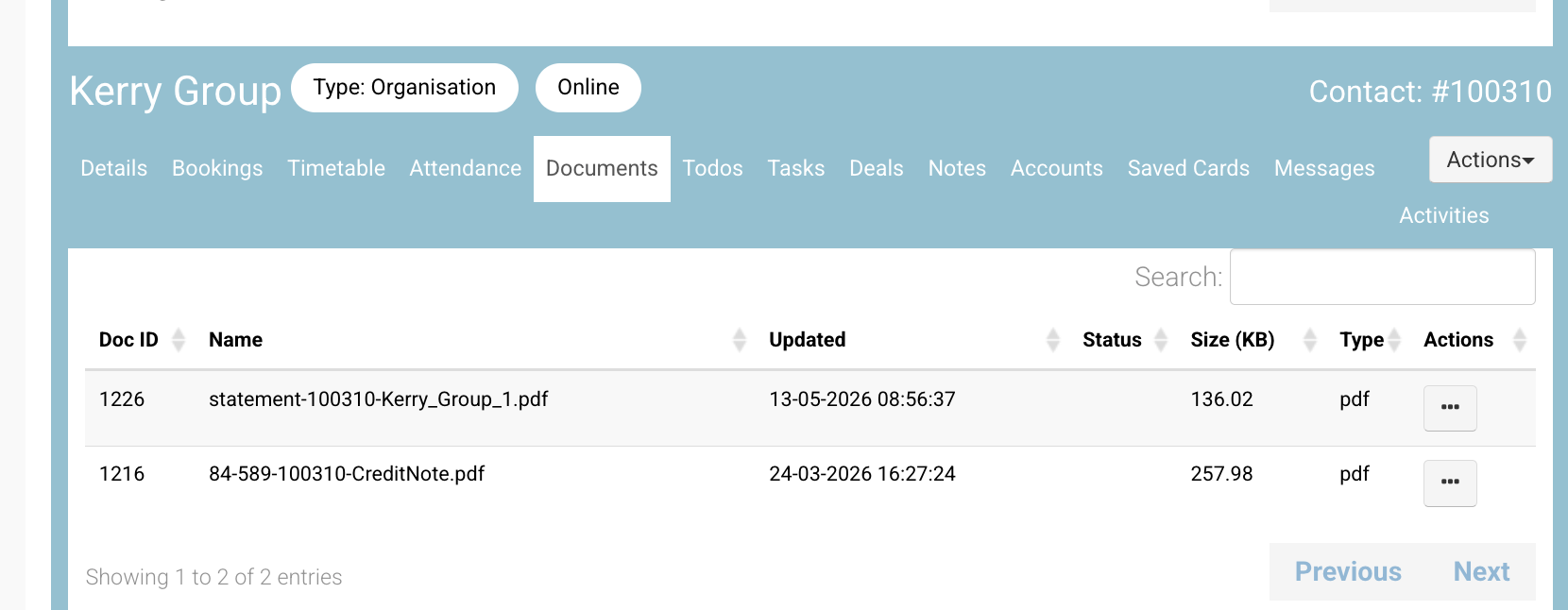
Once generated, the statement can be found in the organisation's Documents tab.
What the Statement Contains
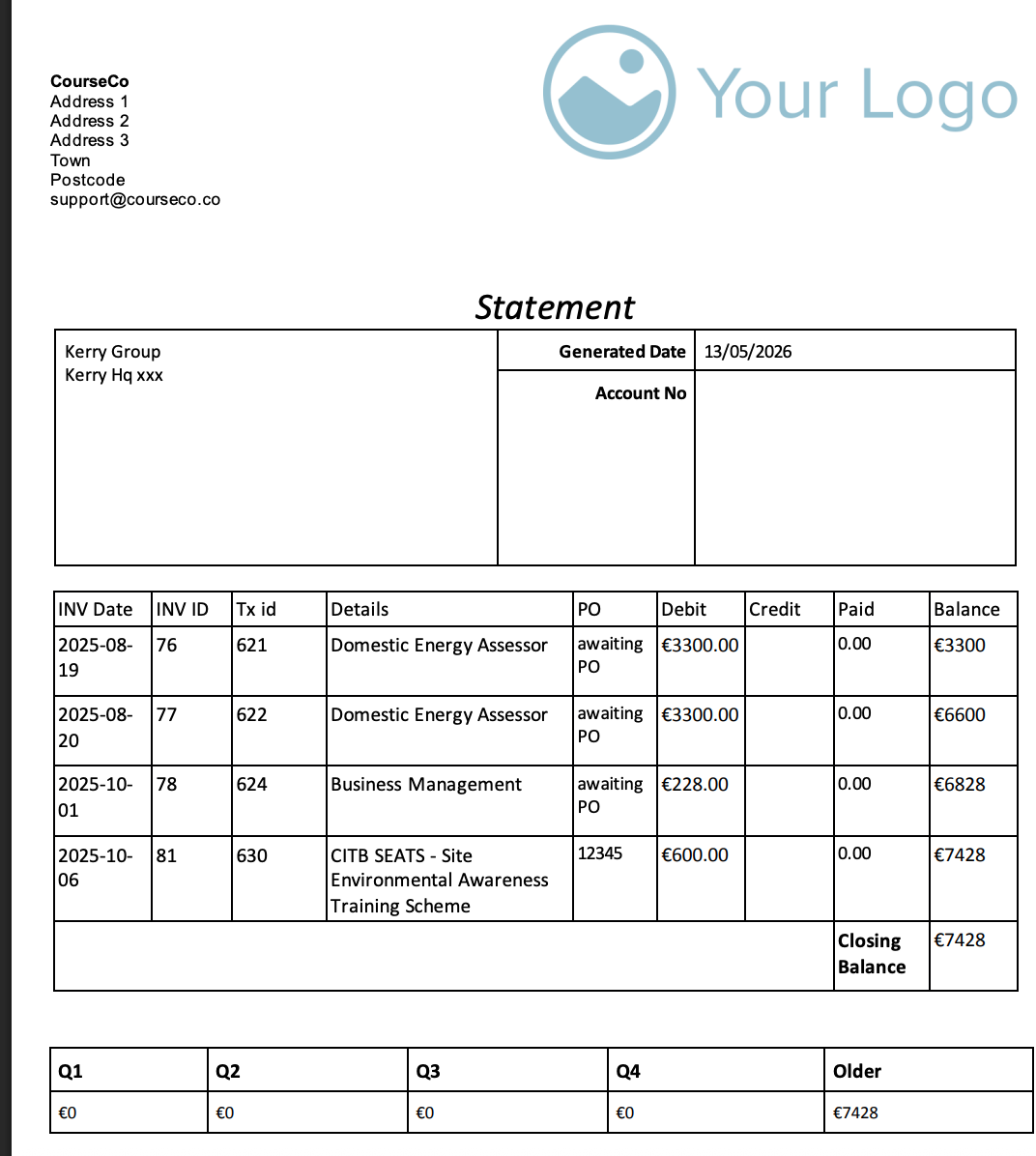
Header Information
-
Contact billing information – the organisation's billing details.
-
Generated date – the date the statement was produced.
-
External reference code – for example, a Sage ID from that contact.
Transaction Table
Each selected transaction is listed with the following fields:
-
Inv ID – Invoice identifier
-
Inv Date – Invoice date
-
Tx ID – Transaction identifier
-
Course Name – Name of the associated course
-
Debit – Debit amount
-
Credit – Credit amount
-
Balance – Running balance
Summary Information
-
Overall Balance – the total balance across all selected transactions.
-
Summary per Quarter – transactions grouped and summarised by quarter, with an option to include older transactions not in the current year.
Currency
The statement is dynamic and automatically populates using each transaction's own currency.
Troubleshooting
-
"Generate a Statement" option not available: Ensure the CourseCos Invoicing Add-on is installed and you have admin access.
-
No transactions listed in the Accounts tab: Check that invoices have been raised against the organisation. Try clearing any active filters.