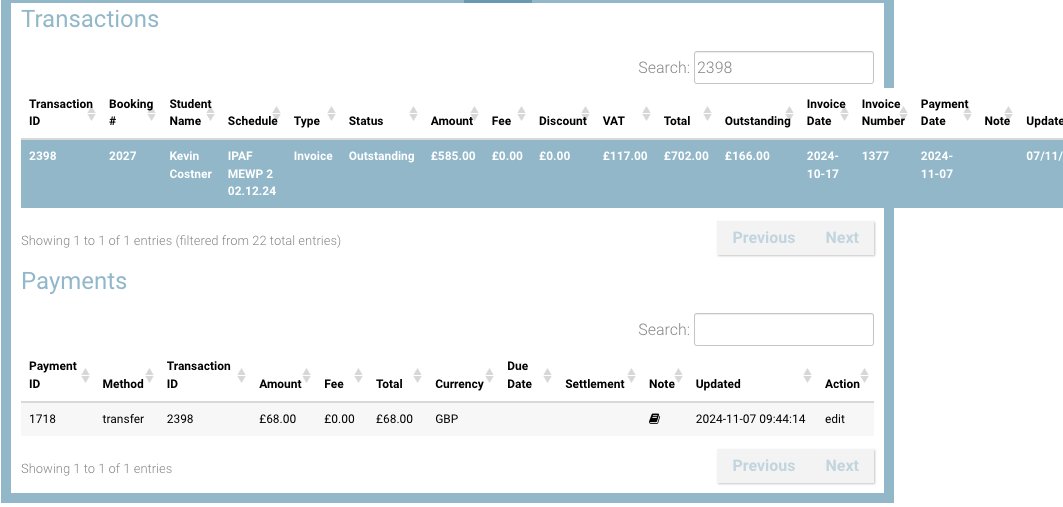
While making a payment against an outstanding transaction, you can now see available credit in the ‘Make a payment’ window and make payment using available credit
Credit available transactions are created when a payment has been made on a transaction, but then the admin creates a credit note against the original booking
How to Make a payment using credit available
Precondition: you have a contact with credit available and an outstanding transaction i.e. you need to make a payment
-
Open Bookings or Contacts
-
Search and select a contact with available credit on their account
-
Open the accounts tab on the contact
-
Select the Outstanding transaction i.e. the transaction that needs to be marked as paid
-
Select Actions ‘Make a payment’
-
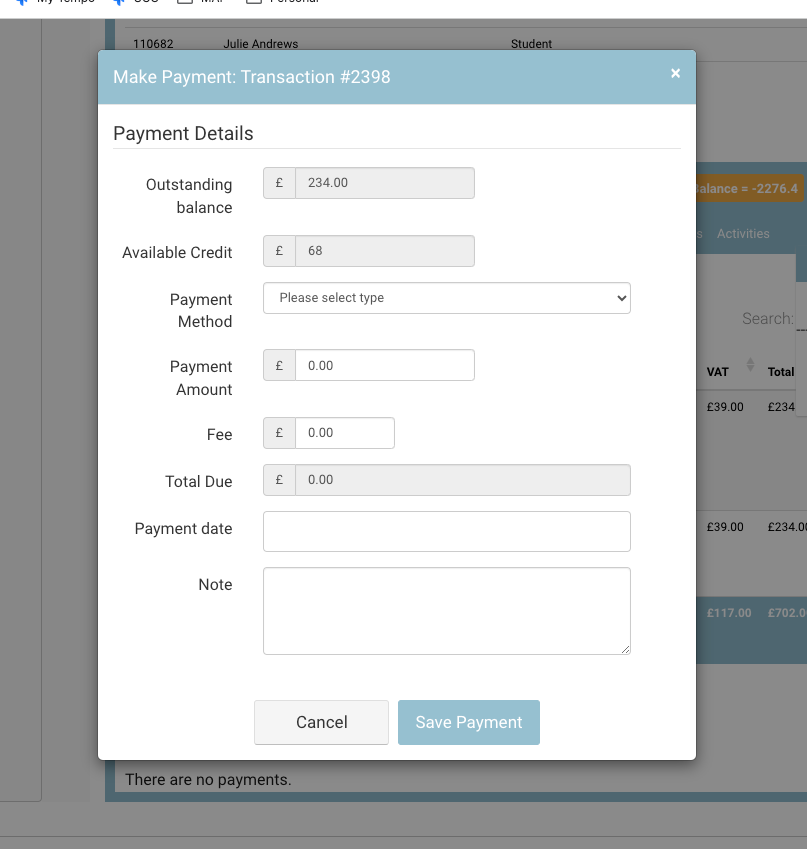
On the ‘make a payment’ window, you will see an extra read only input called ‘Available Credit’
-
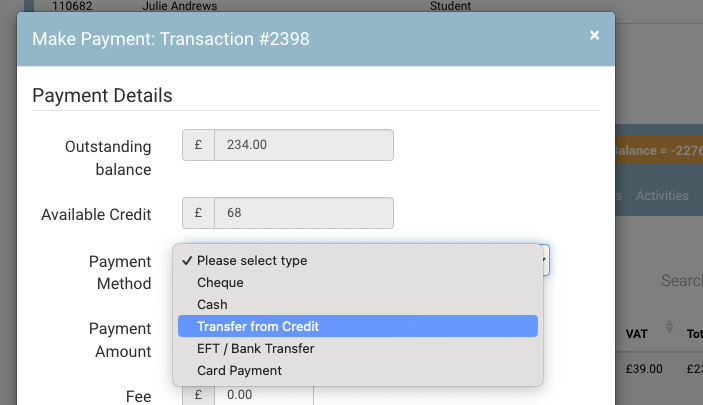
In the Payment Method dropdown select ‘Transfer from Credit’
-
Payment Amount input, enter the credit payment amount
-
Enter payment date (optional)
-
Enter note (optional)
-
Save Payment
Outcome:
-
Credit available will be reduced
-
A payment with type ‘transfer’ will be applied to the transaction