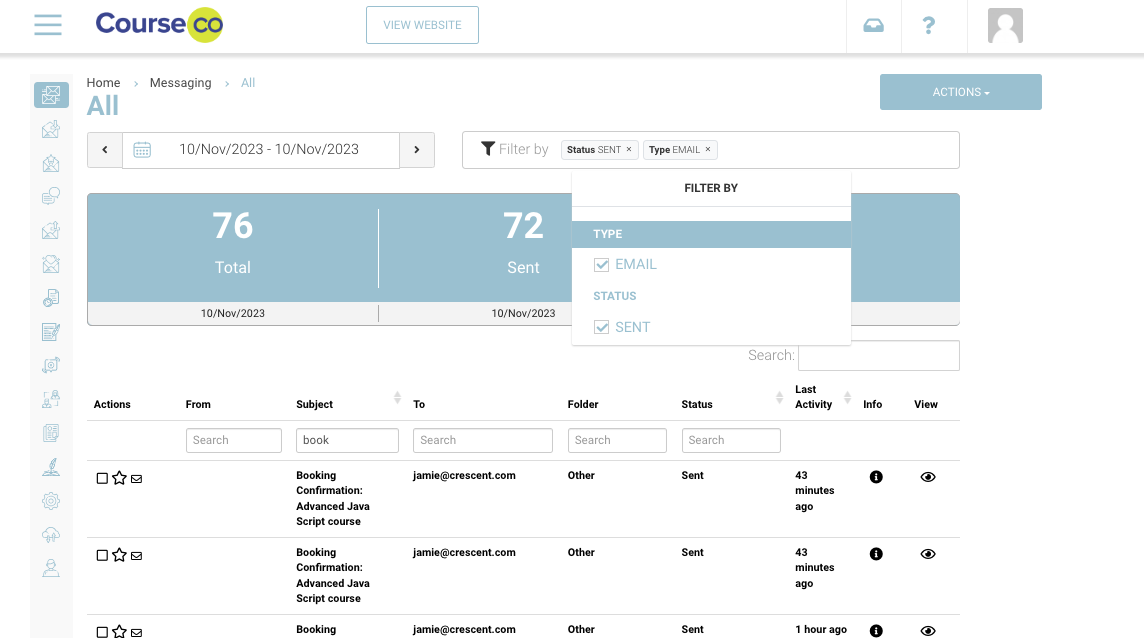
The messaging all folder is very useful as you can see every email sent from the system. You can filter your results also, to refine by subject line / email.
Accessing the Messaging All folder
-
Login as Admin
-
Navigate down the left menu and select Messaging
You are now in the Messaging All folder
-
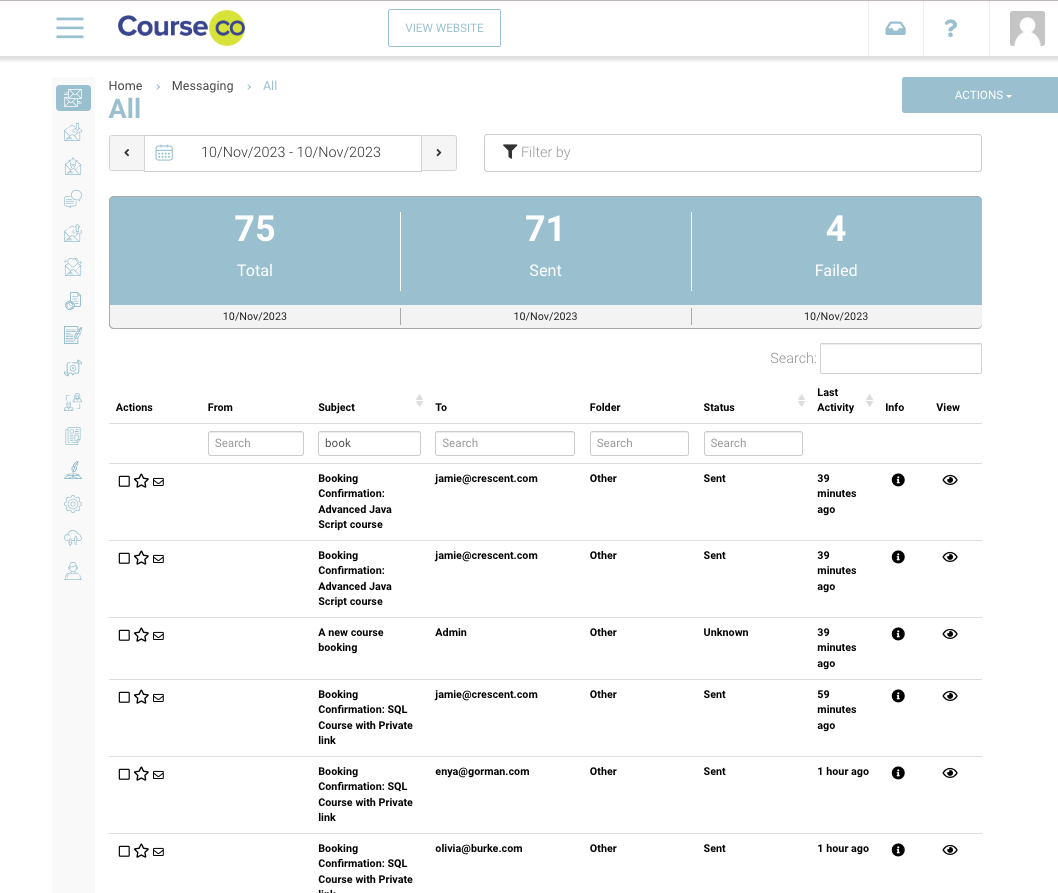
By default, the date filter is set to today
-
View the stats to see
-
Total = number of emails, sms or alerts sent in the date range selected
-
Sent = Number of sent from CourseCo successfully emails / SMS
-
Failed = Number of sent from CourseCo usuccessfully emails / SMS
-
Failed emails means CourseCo did not receive a successful response from the email / sms provider. CourseCo is not responsible for failed messages and only reports on these messages
Using the Messaging Filters
Date Filter
-
Select the date filter to change your date range
-
Table of results will display messages sent in that time frame only
-
Date filter is defaulted to Today on opening Messaging
Filter By options
-
Type -this allows you to refine your results to display SMS or Email only
-
Status - Admin can refine results to only display eg Sent to determine the total number of emails sent. Filtering by failed allows admin to know who didn’t receive the message