
At CourseCo, you can edit your email templates with your own text to be sent out to your students and delegates.
To edit an invite email template, follow these steps:
-
Log In as an Admin
-
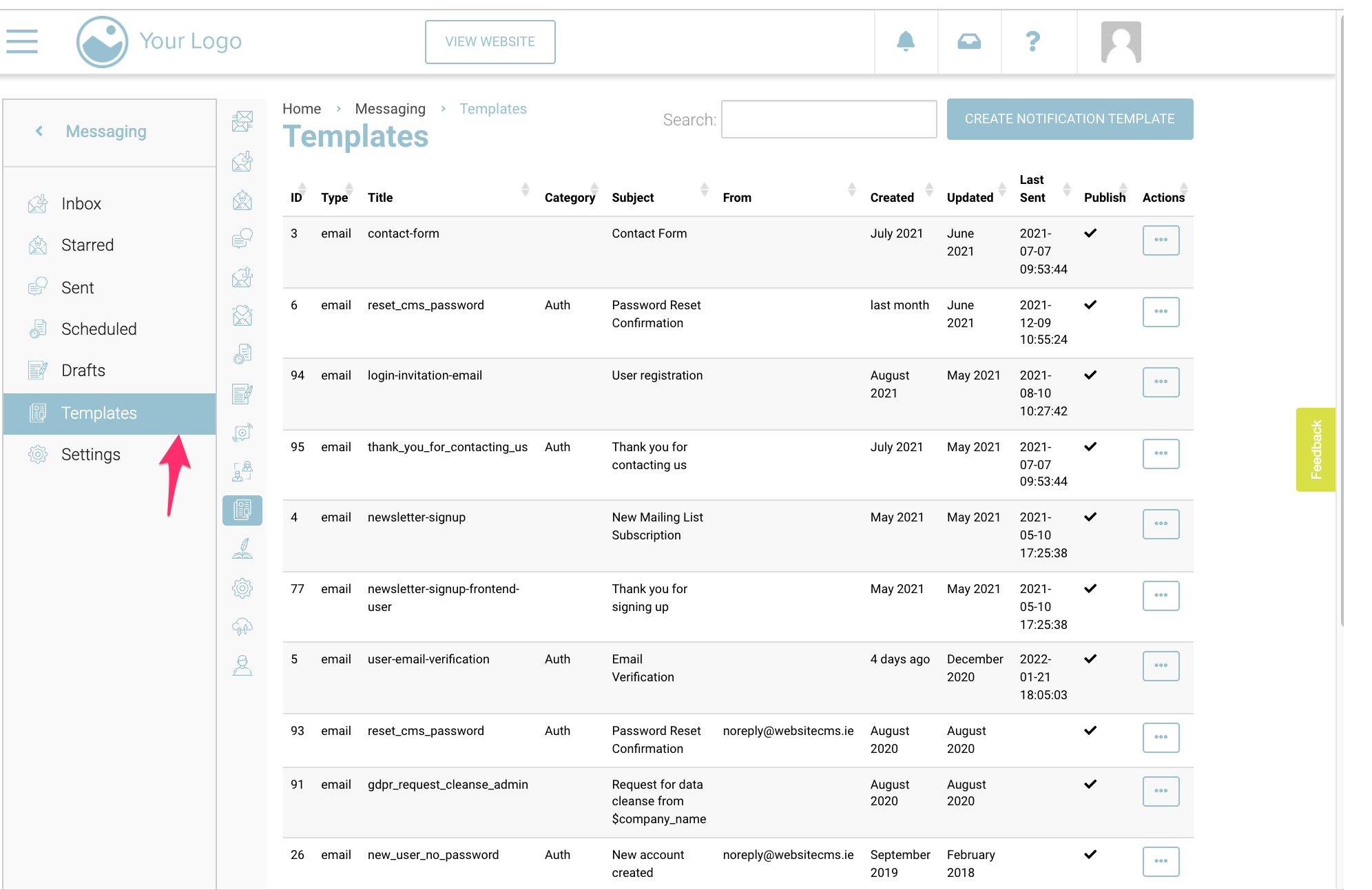
Click on ‘Messaging’ on left menu
-
Click on Templates on the left menu as shown below in the image
-
In the search bar, search for user-email-verification
-
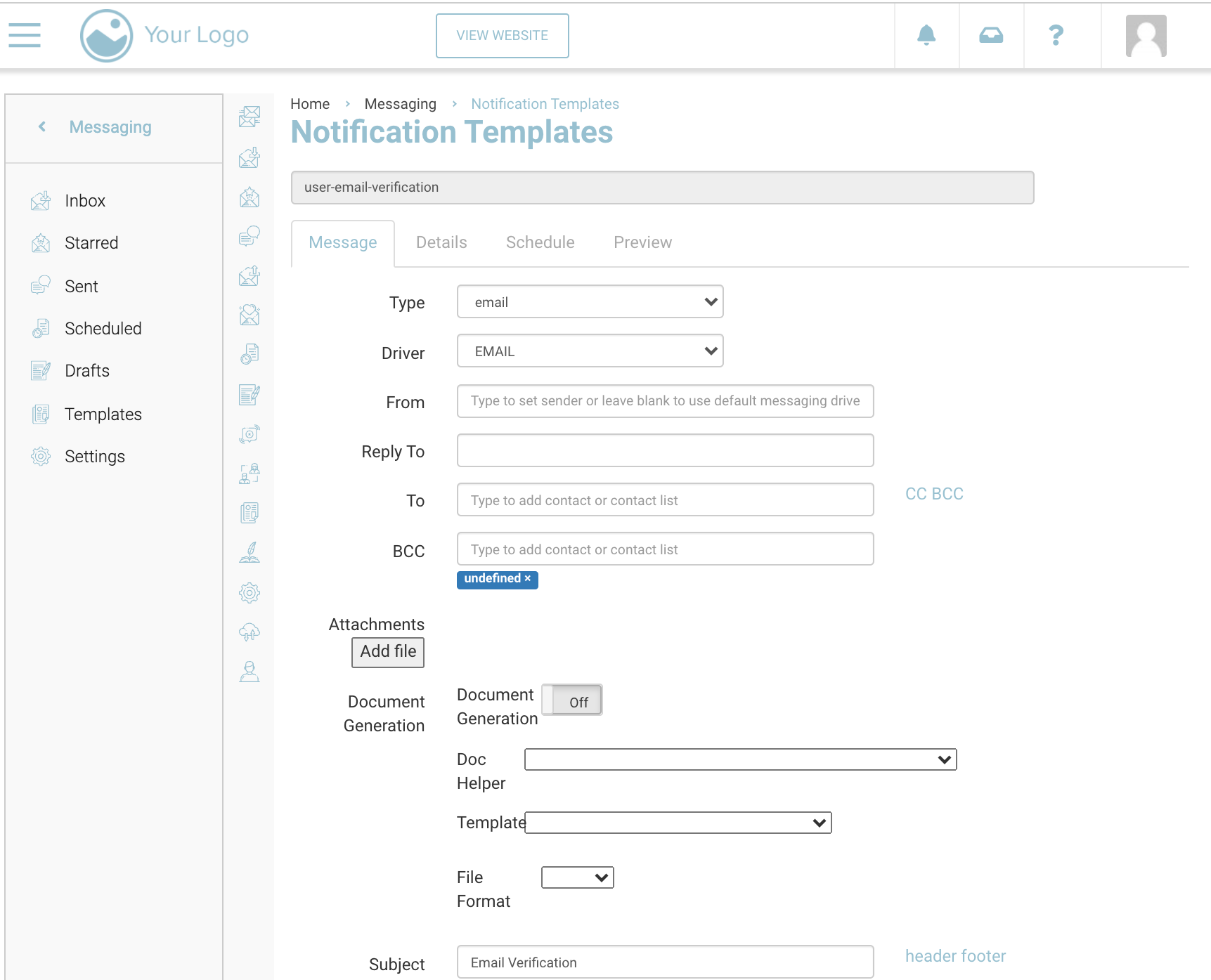
You will be redirected to this template page
-
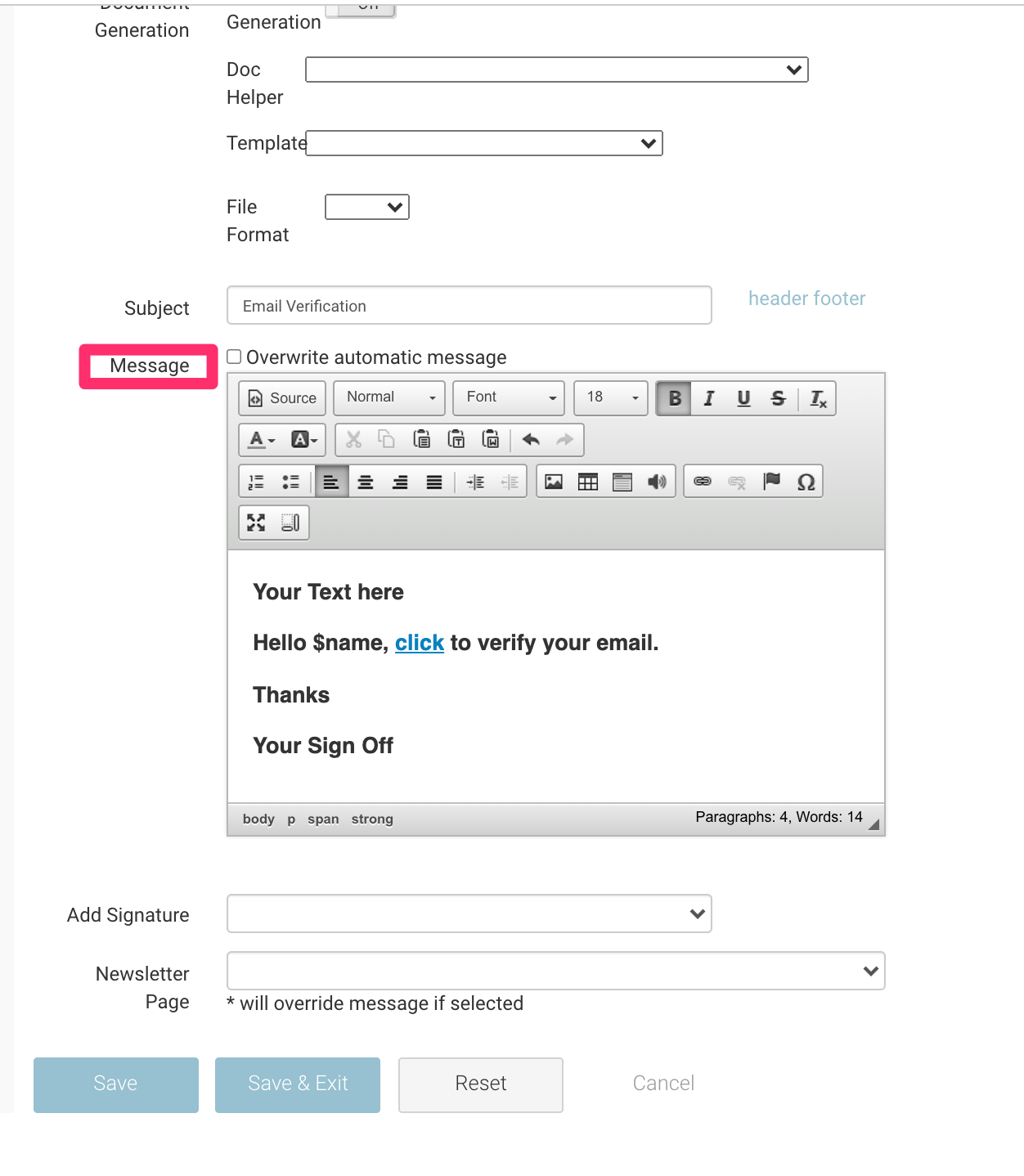
Scroll down to the text editor for the template
-
Edit your text in the editor as you like. An example is shown below in the image
-
Click Save
Outcome:
-
Your invite email template will be sent
-
Users will receive the updated email when invited to login and verify