
This feature was developed to resend booking confirmation emails when a PO was already entered i.e. the booking confirmation trigger has already ‘run’.
The feature was developed to handle the delegate allocation feature see user guide on delegate allocation
This is a feature included in delegate allocation add on. Please contact us if you would like this feature enabled
How to Re-trigger an automated email
-
Login as Admin
-
Open a booking
-
On the details section of a booking, you will see a ‘Run Automation’ button
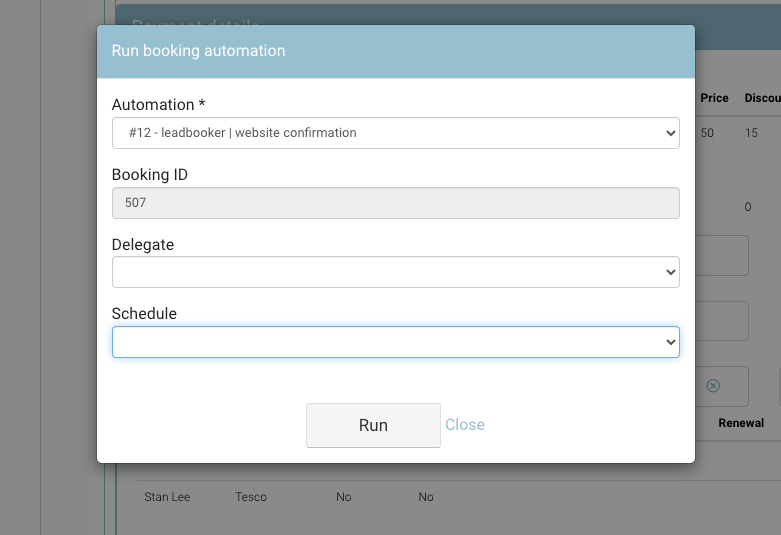
The popup presents automations applicable to ‘a booking is created’ but it will not present eg Course starts automations
-
On the popup, select the applicable automation you would like to run
-
Select the delegate name from the dropdown (Only required to fill in, if resending an email to the delegate)
Applicable automations will run only, A booker confirmation email will be sent to the booker and not the student
-
On the schedule dropdown, select the schedule
-
This option is presented if you have multi buy enabled i.e. select which schedules' confirmation email to resend.
-
-
Select Run
Outcome:
You will be presented with 'Success' if automation has been successfully Run
You will be presented with 'UnSuccessful' if automation has not successfully Run
Unsuccessful means the automation could not re-trigger for the selected booking i.e. the conditions were not met to send this automation