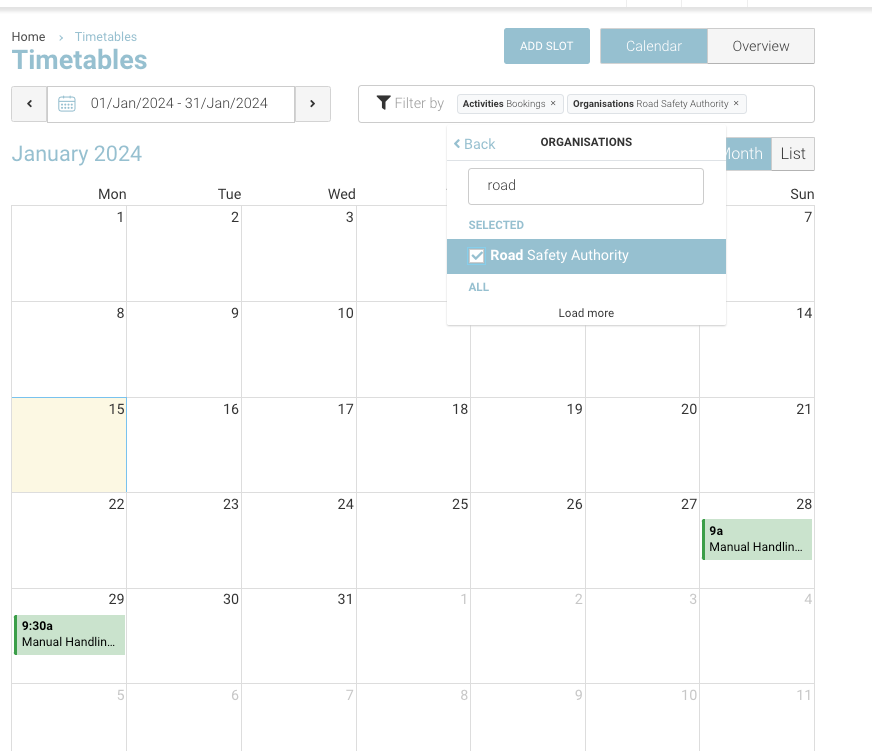
Global Timetable gives you the ability to view the all schedules. For busy organisations, we suggest filtering your calendar for easier review.
How to filter your Calendar
-
Login as Admin
-
Open left menu Timetable and select sub menu All timetables.
-
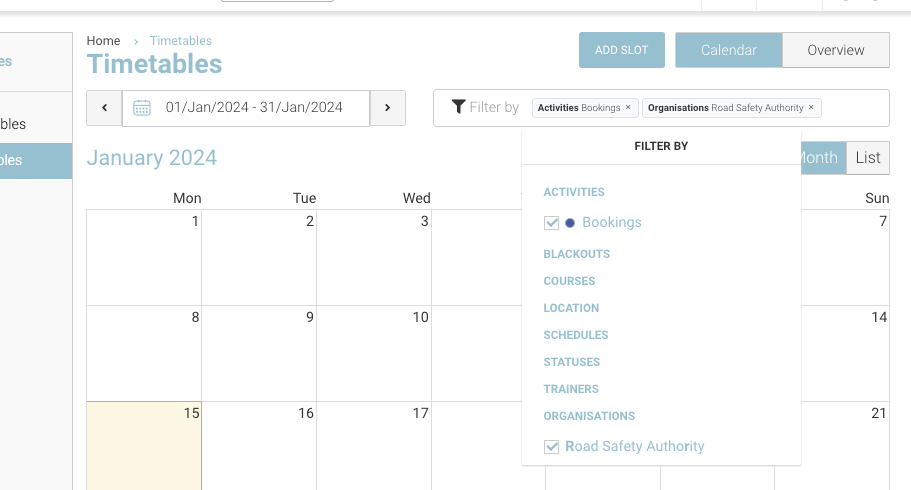
Using the filters refine your results.
-
Multi select by eg Location, status and Trainer…etc
⭐ Top Tips / optional timetable configuration⭐
-
Optional: On opening, display all schedules with bookings only
-
CourseCo to set this feature for admin / trainer timetable
-
remove Bookings filter to see all timeslots (with/without bookings)
-
-
Filter by Status - filter by conflict so you can fix now.
-
Filter by Location / sublocation and trainer
-
Multi-select by trainer or sublocation
-
Filter by No trainer, to see the schedules where you must assign a trainer contact
-
Filtering by trainer is only available for Admins
-
Filter by organisation
-
Your timetable will display the time slots with the filter organisation.
-
Select the timeslot, attendee tab to see the contact of that organisation.
-
Filtering by organisation can be turned on for trainers also