
To view the timetable, follow the steps given below:
-
Navigate to the website and log in.
-
Click your profile picture at the top-right and click MY ACCOUNT.
-
The Home Dashboard will be displayed.
-
Click Todos.
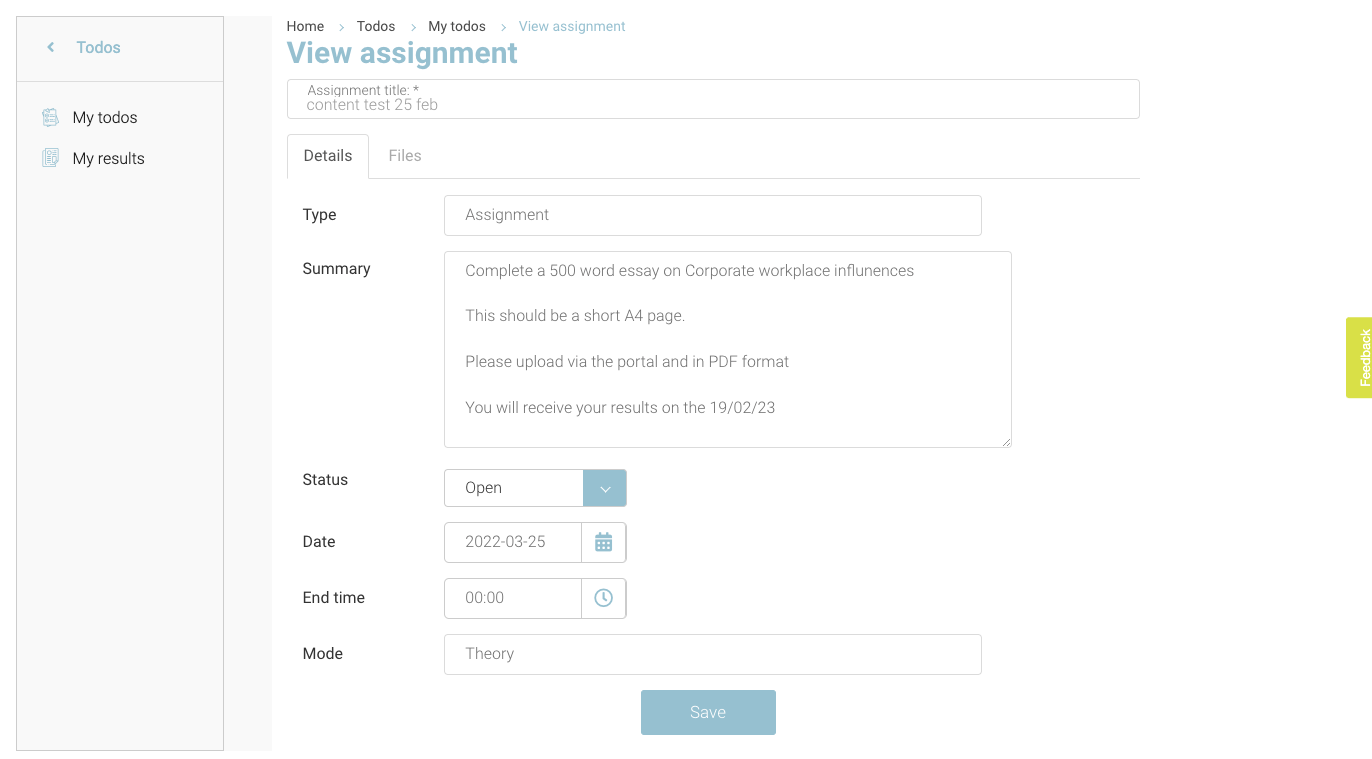
As a student, you will have access to the following features:
-
My todos
-
My results
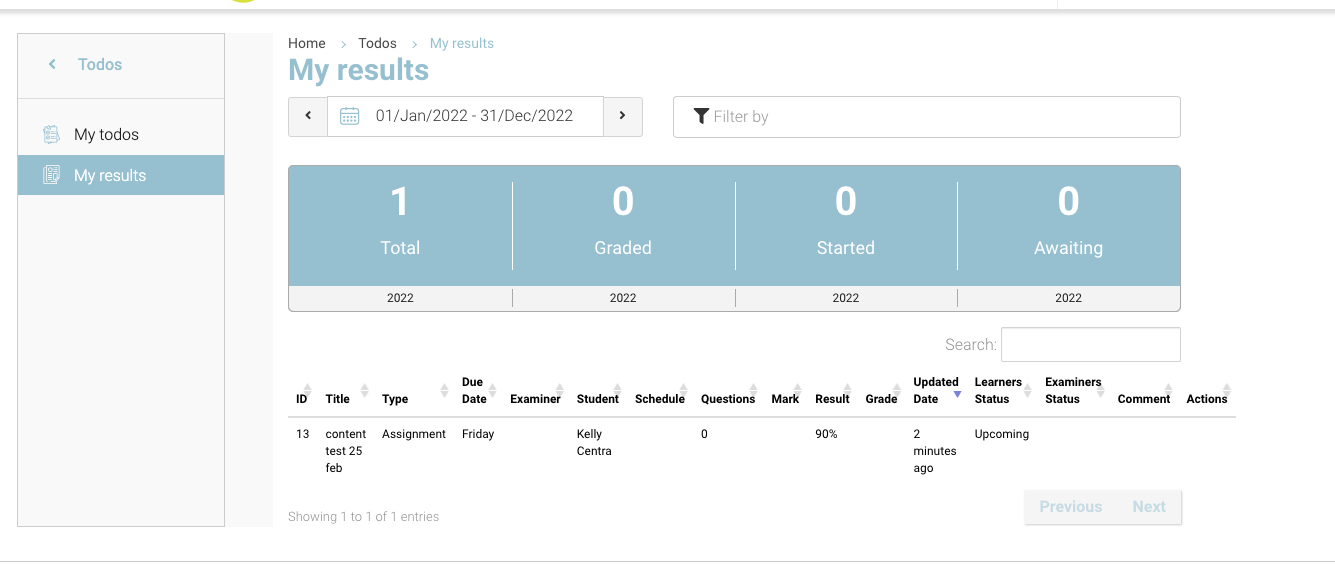
Overall, a student will be able to:
-
Access assigned tasks
-
View assignments, tasks, and scheduled exams or results
-
Upload assignments in PDF format
-
Update task progress from Open, Inprogress and Closed
-
View assigned content including text, video, audio, and PDF files
-
View past and recent results of exams
-
Start Online schedules exams