
See steps below to Log into your admin portal to manage your CourseCo account.
-
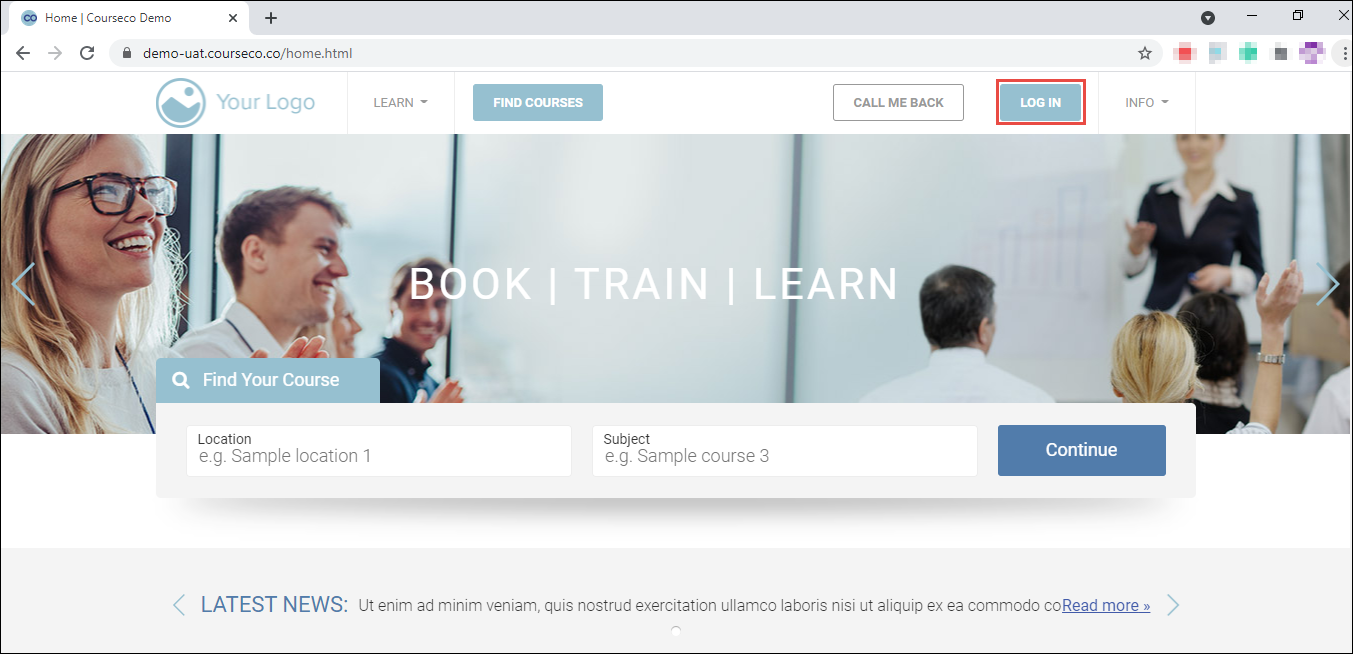
Navigate to your website
The Home page will be displayed.
-
Click LOG IN.
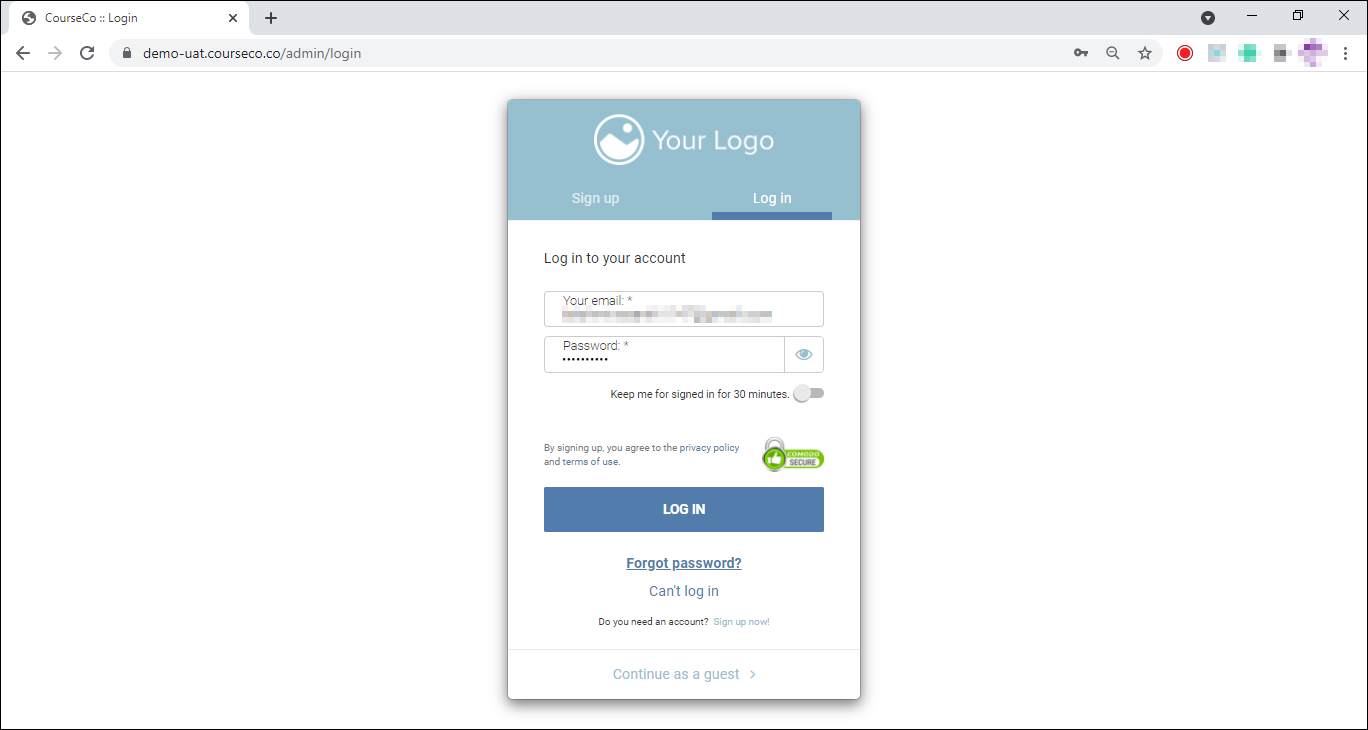
The Login page will be displayed.
-
Enter your credentials and click LOG IN.
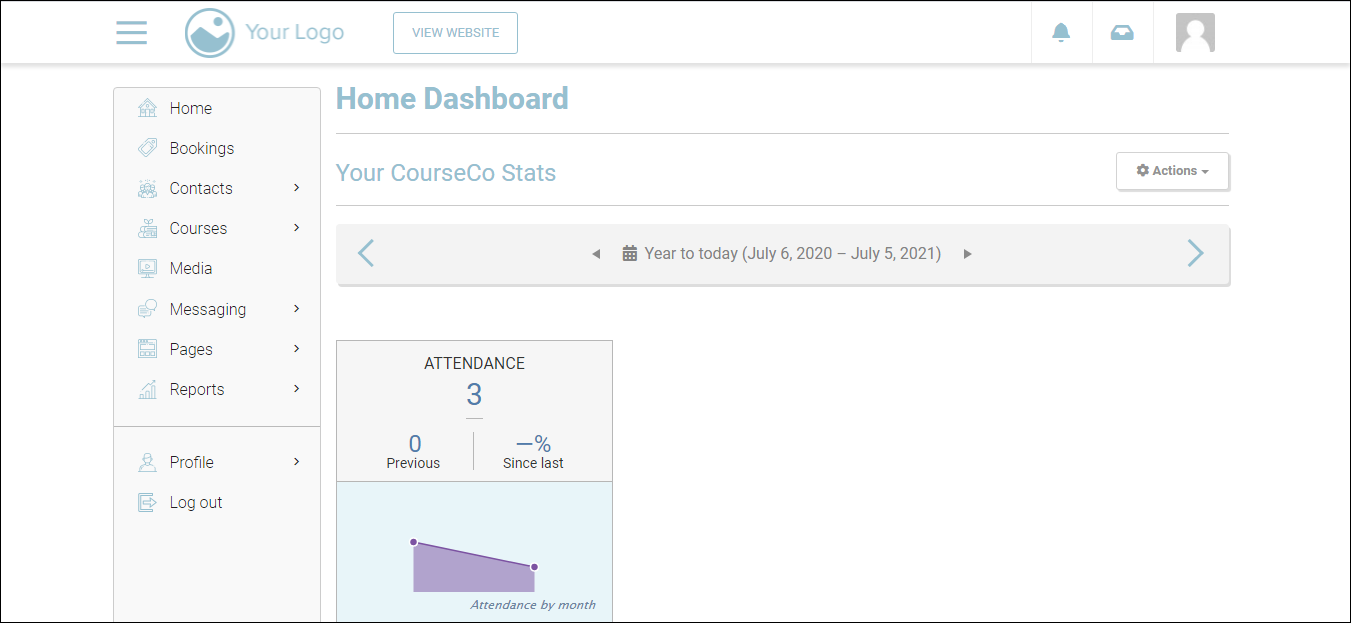
You will be logged in and your Home Dashboard will be displayed.
Depending on your login type, some of the modules/sections may or may not be available.
To log out of CourseCo, click your profile picture at the top-right and then click Log out.
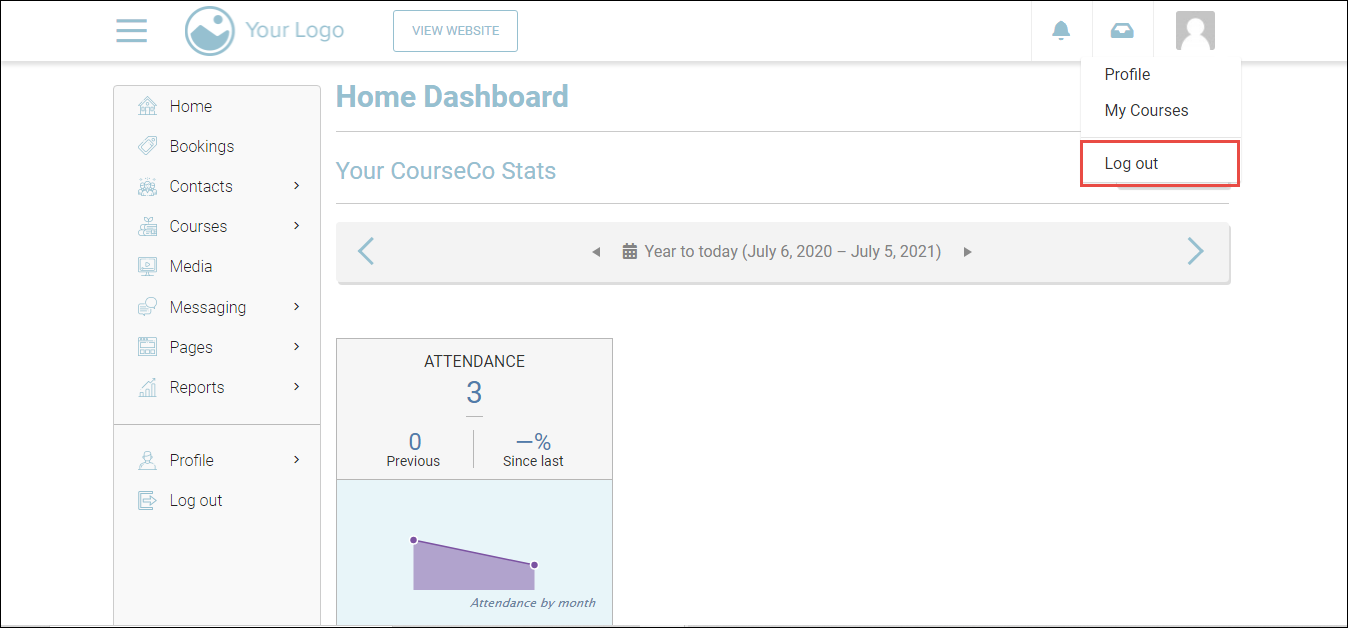
You will be logged out of CourseCo.