
You can add the results for your Todo- Tasks and assignments after the students have uploaded their submissions. To add results to your ToDo, follow these steps:
-
Log in as an admin
-
Go to Todo’s plugin
-
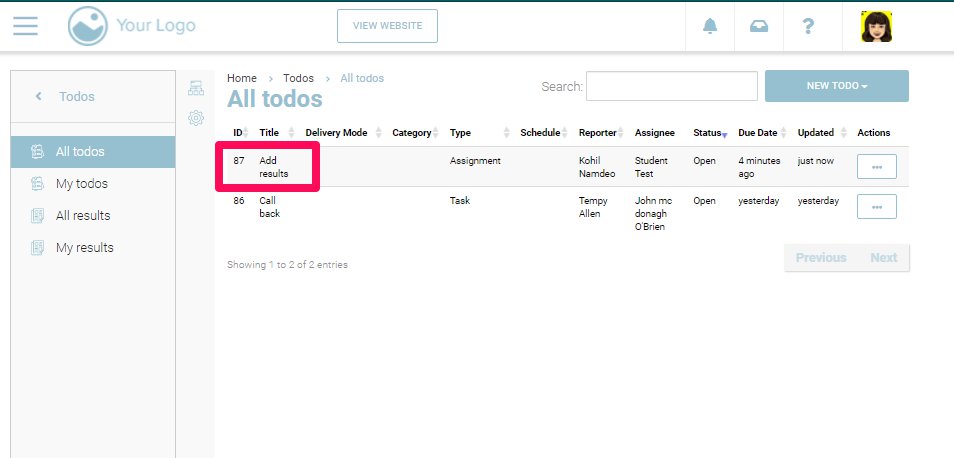
Select the Todo that you want to add the results to
-
From the Action dropdown, select Edit option to add your results
-
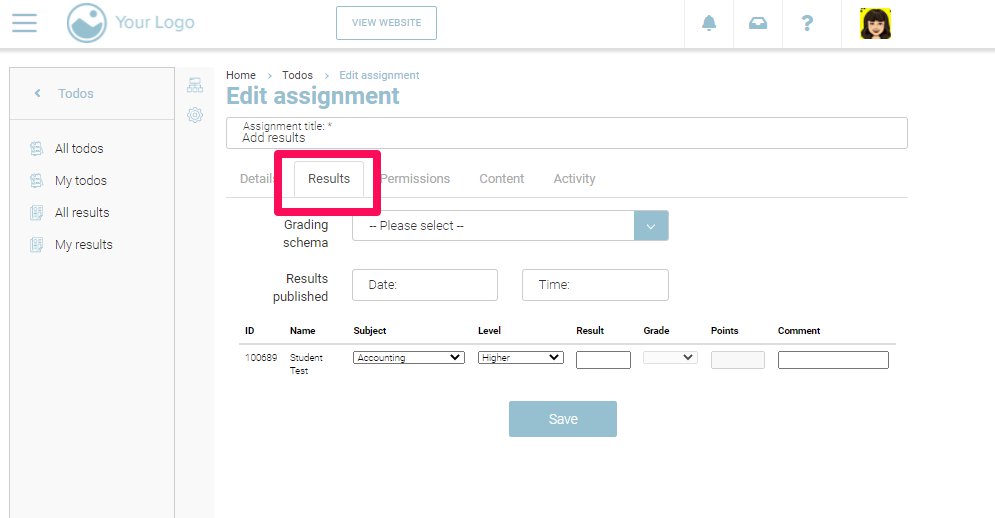
Within the Todo, click on the ‘Results’ tab
-
You will see the list of all the submissions by students in this tab
-
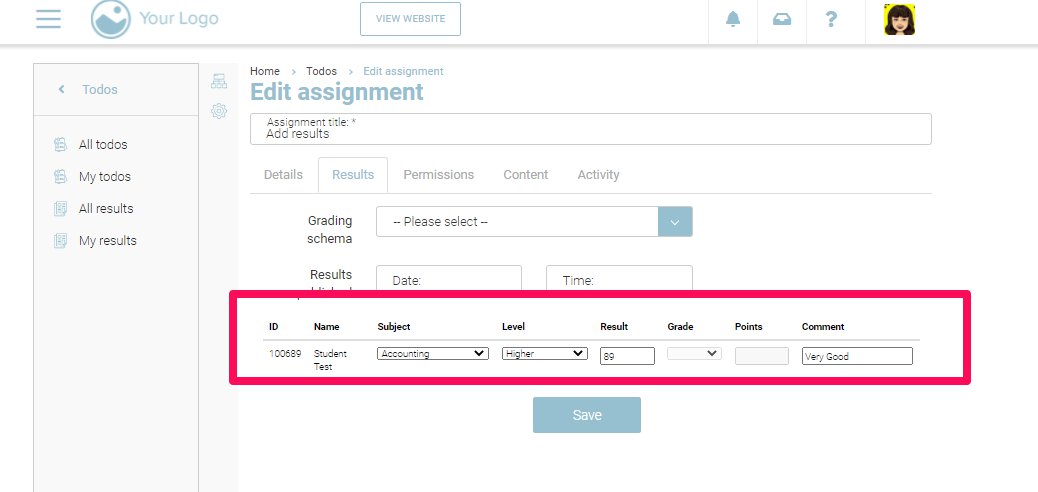
Enter the result in form of marks or grade in the result input
-
Additionally, you can also add a comment for the student to view on their portal
-
Click Save
Outcome
-
The result will be saved
-
The comment will be saved
-
You can see the result in the ‘result tab’
-
You can see the result in ‘All results’ tab
-
The Student can see his result in his portal