
Admin have the option to link a created survey to a course. There are a number of ways this feature can be used to receive feedback on the course.
-
For example, when a course is completed, an automatic email with a feedback survey can be sent to all attendees or a survey can be send x days before the start date so attendees can fill in required information about the course.
Please note, this is a PRIME feature. To get this installed on your website, please contact your CRM Lead.
To link a survey to a course, please follow the steps given below:
-
Go to your survey plugin
-
Select the survey you want to link to your course
-
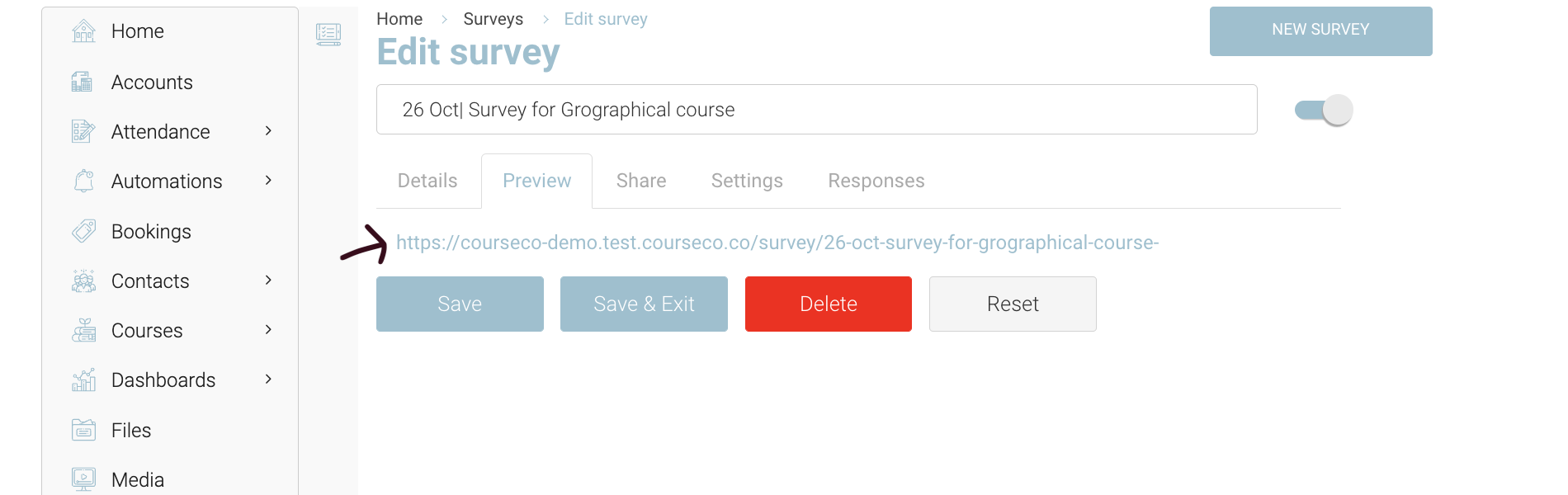
Go to ‘Preview’ tab of the survey and copy the link to this survey
-
Once your survey link is copied, you can go to ‘Courses’ Plugin
-
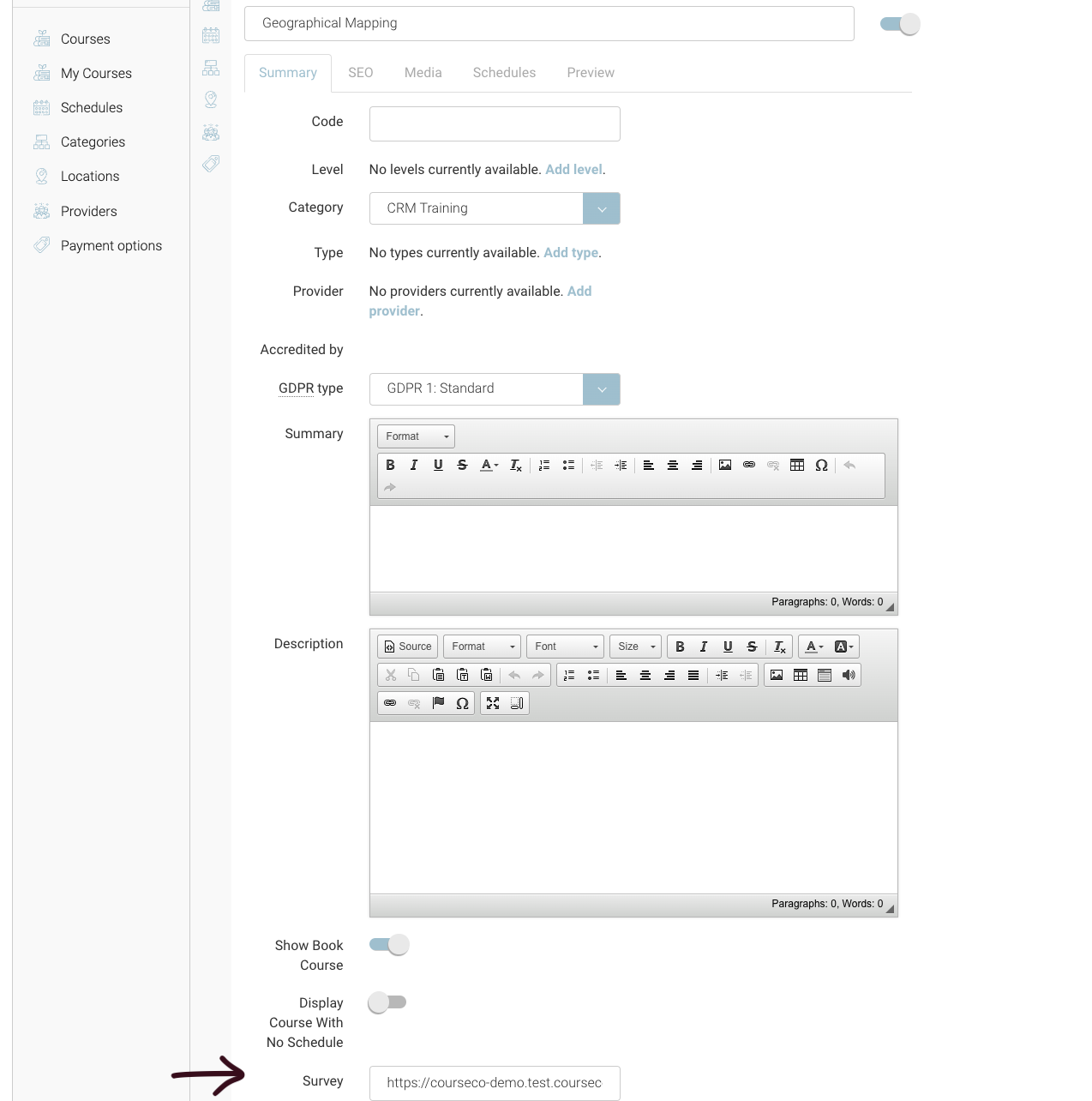
In courses, select your course that you want to link your survey
-
In the survey input, Paste the link you have copied from Surveys
-
Click Save
Outcomes:
-
The survey will be linked to the course
-
Survey link can be used in automation to send to attendees
-
Attendees can fill survey form
-
Admins can view responses in Surveys> Responses tab