
You can delete a question within a group, a group or the survey. Below are the steps to delete each of these items on Surveys.
Deleting a question
To delete a question(s) within a group, follow these simple steps:
-
Navigate to the website
-
Log In as an admin
-
Go to Surveys
-
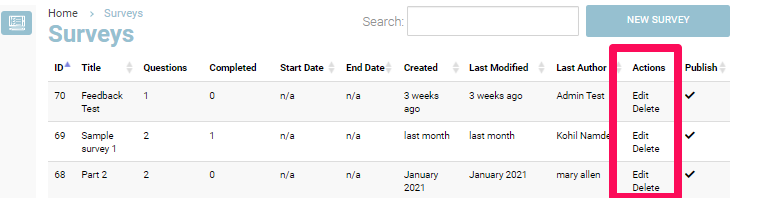
In the Action column, click on Edit in front of the survey you want to delete the question from
-
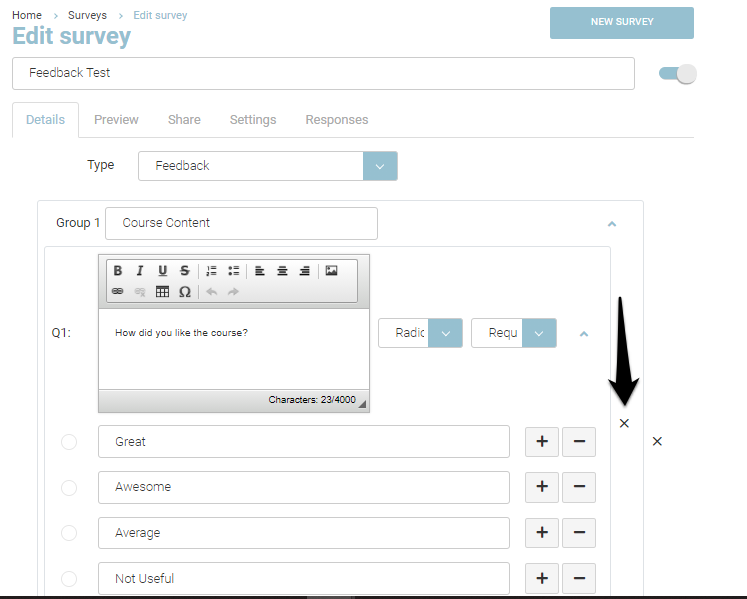
In the Details tab, click the x sign outside the question box to delete the question
-
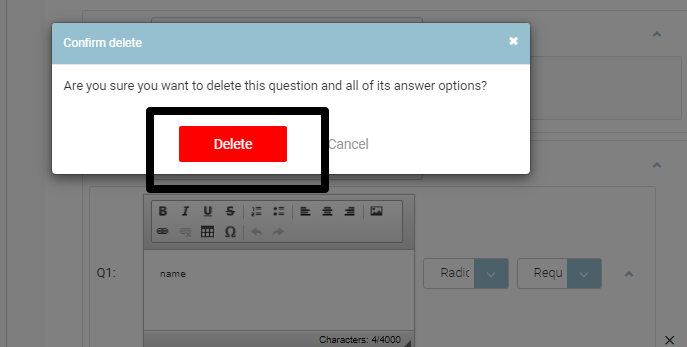
You will be presented with a dialog box to confirm deletion of the question.
-
To delete the question, Click Delete on the Dialog box
-
Click Save
Outcome: Your question will be deleted from the group
Deleting a group
You can delete a group containing several questions on your survey. To delete a group, follow the steps given below:
-
Navigate to the website
-
Log In as an admin
-
Go to Surveys
-
In the Action column, click on Edit in front of the survey you want to delete a group from
-
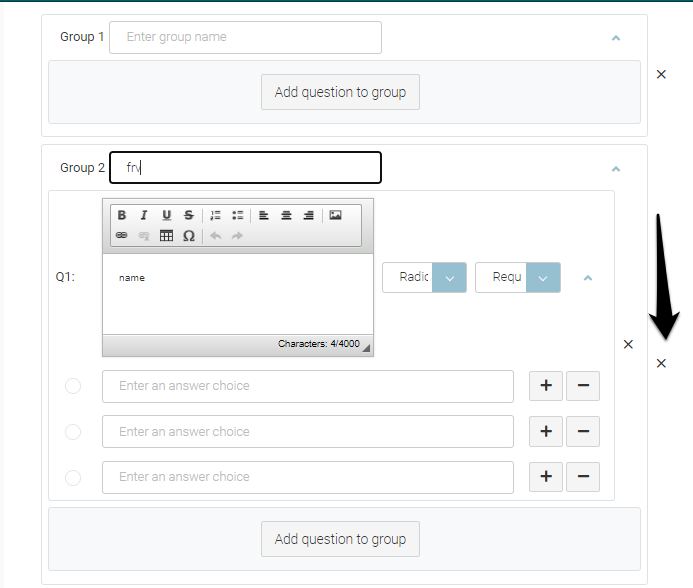
In the Details tab, click the x sign outside the group box to delete the group
-
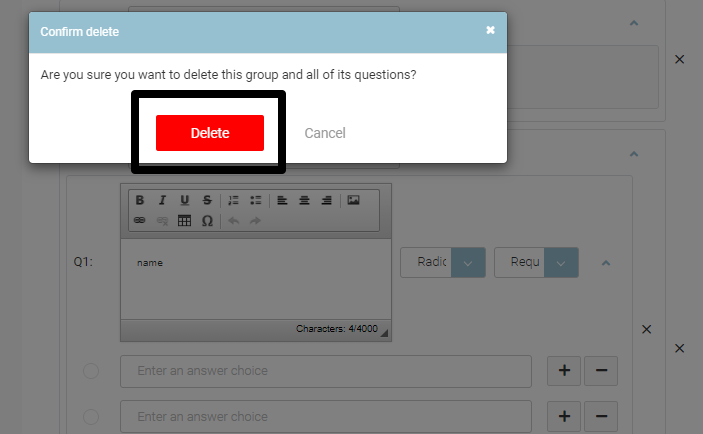
You will be presented with a dialog box to confirm deletion of the group
-
To delete the group, Click Delete on the Dialog box
-
Click Save
Outcome: Your Group will be deleted from the Surveys
Deleting a Survey
You can delete a survey if you no longer require it on your system. To delete a survey, follow these steps:
-
Navigate to the website
-
Log In as an admin
-
Go to Surveys
-
In the Action column, click on Delete in front of the Survey that you want to Delete
-
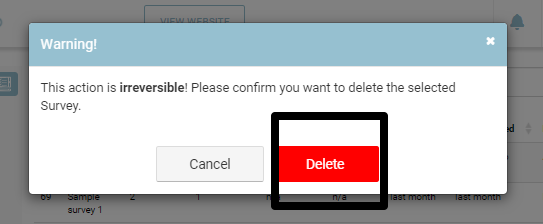
You will be presented with a dialog box to confirm deletion of the survey
-
Click Delete on the dialog box
Outcome: The survey will be deleted and no longer present in the list