
To download the survey results, follow the steps given below:
-
Navigate to the website and log in as an Admin.
-
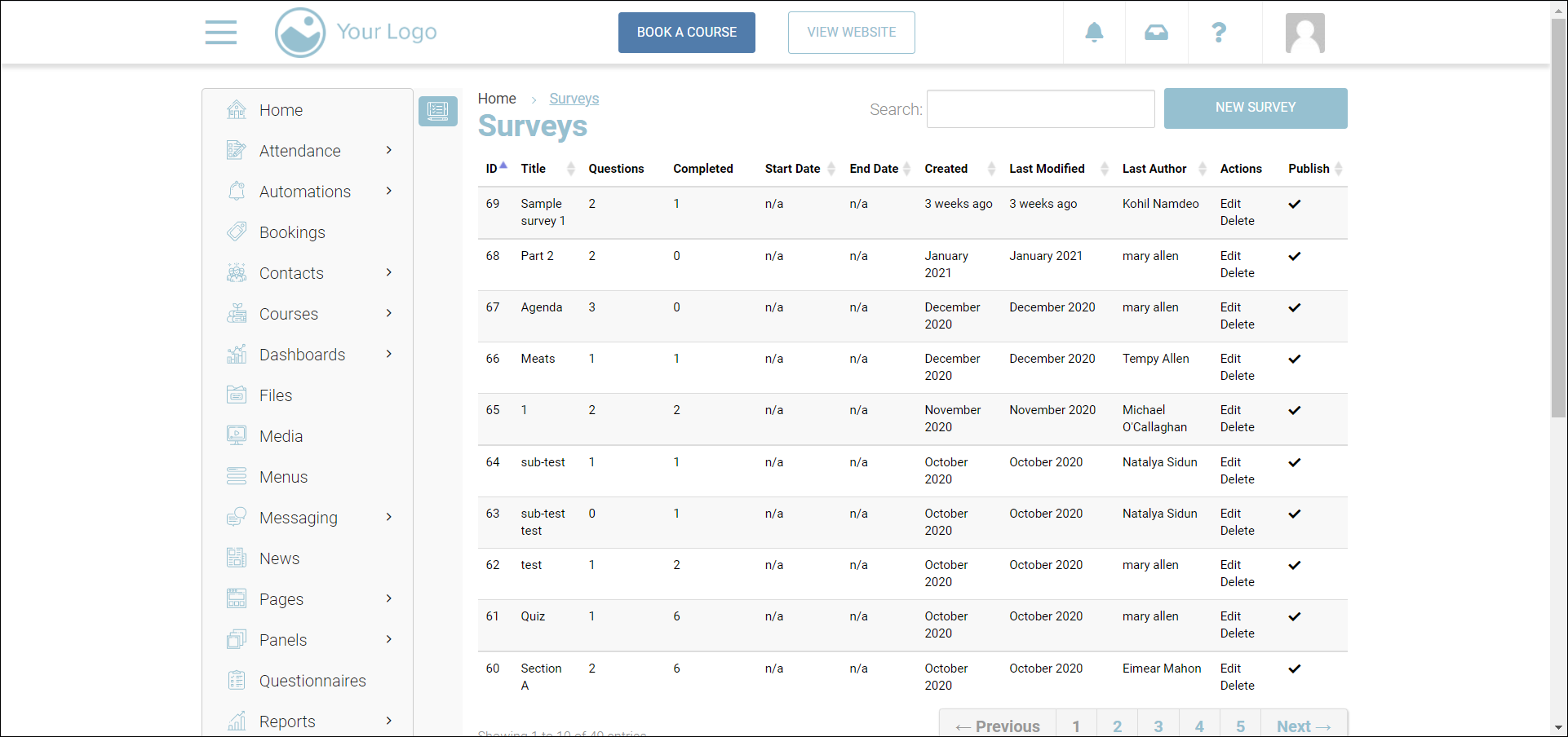
Navigate to Surveys.
The Surveys page will be displayed.
-
Click the survey for which you want to download the results.
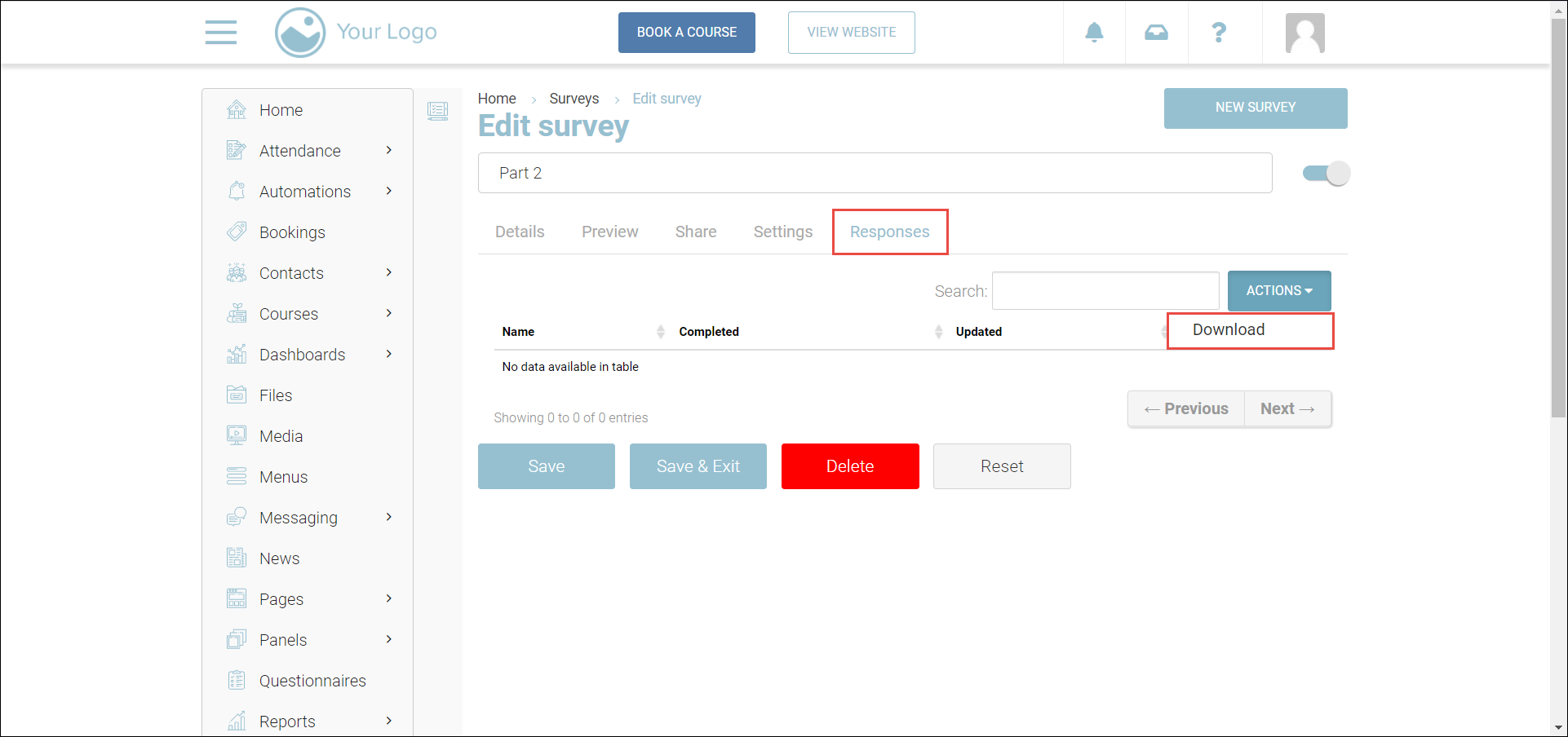
The Edit survey page will be displayed.
-
Navigate to the Responses tab.
-
All the responses to the survey will be displayed.
-
Click ACTIONS and select Download.
Outcome: The survey results will be downloaded to your system, in Excel format.