
As you customers use your website and checkout you will receive queries like ‘why did my credit card fail’ This is common and normal and they can be a number of reasons why a card may fail on the checkout. CourseCo report Recent payments will display completed card payments and also payments that may have failed.
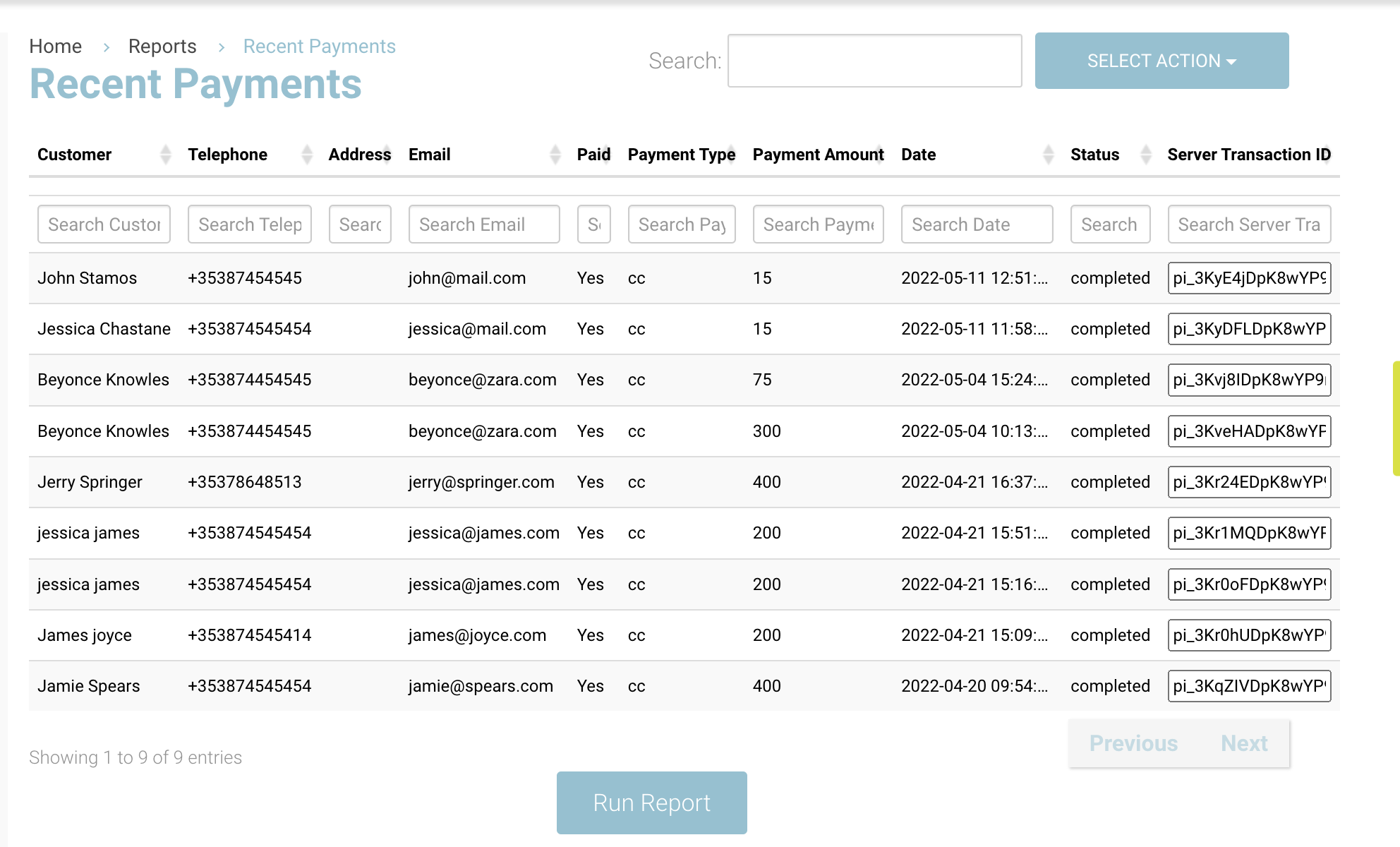
If you do not see a failed payment on the report, this could mean the checkout failed on CourseCo side and CourseCo would not attempt to send to Stripe. Example - the leadbooker entered duplicate emails on the checkout. There is a hard stop on CourseCo
Understanding Recent Payments report
|
Column |
Description |
|---|---|
|
Customer |
Name of the leadbooker |
|
Telephone |
Mobile added on the checkout by leadbooker |
|
|
Email of the leadbooker |
|
Paid |
YES/NO |
|
Payment Amount |
Checkout Amount |
|
Date |
Date of checkout |
|
Status |
The payment was sent to eg Stripe and they have successfully taken the money or they rejected the transaction
|
|
Server TX id |
This is for our developers to use if further investigation is required. |
Examples of Status explanations
|
Status |
Description |
|---|---|
|
|
Processed as expected to payment gateway eg Stripe |
|
|
3DSECURE was completed correctly i.e. contact did not approve payment with their bank |
|
|
Captcha was not completed properly i.e. ‘I am not a Robot’ |
|
|
CVV is incorrect |
|
|
CVV was not entered |
|
|
Card number is incorrect |
|
|
Card number was not completed i.e. maybe missing digits |
|
|
Card does not have Money in it |