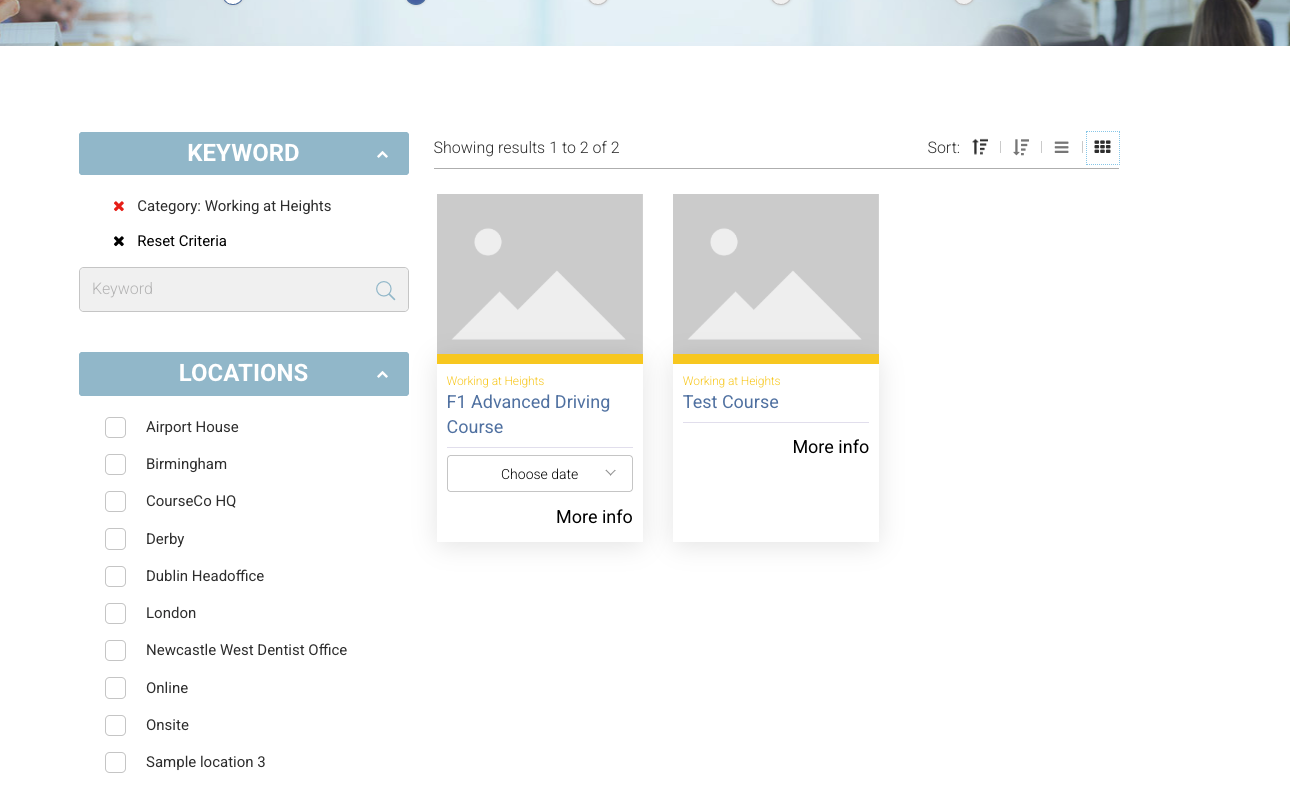
Overview
Admins can assign a hex value colour to each course category.
This colour automatically applies to your frontend course list page, giving a visual cue to help website visitors easily identify and distinguish course categories.
Benefits
-
Visual organisation: Categories are colour-coded, making your course list more engaging and easier to browse.
-
Improved user experience: Visitors can quickly spot related courses by colour.
-
Brand consistency: You can match category colours to your website or company branding.
How to Add a Colour to a Category
-
Go to:
Admin > Courses > Categories -
Edit or Create a Category
-
Enter a Hex Colour Value in the ‘Colour’ Input
-
In the Colour field, enter a valid hex value (e.g.
#1E90FFfor blue,#28A745for green). -
You can use a colour picker tool online to find your desired shade.
-
-
Save Changes
-
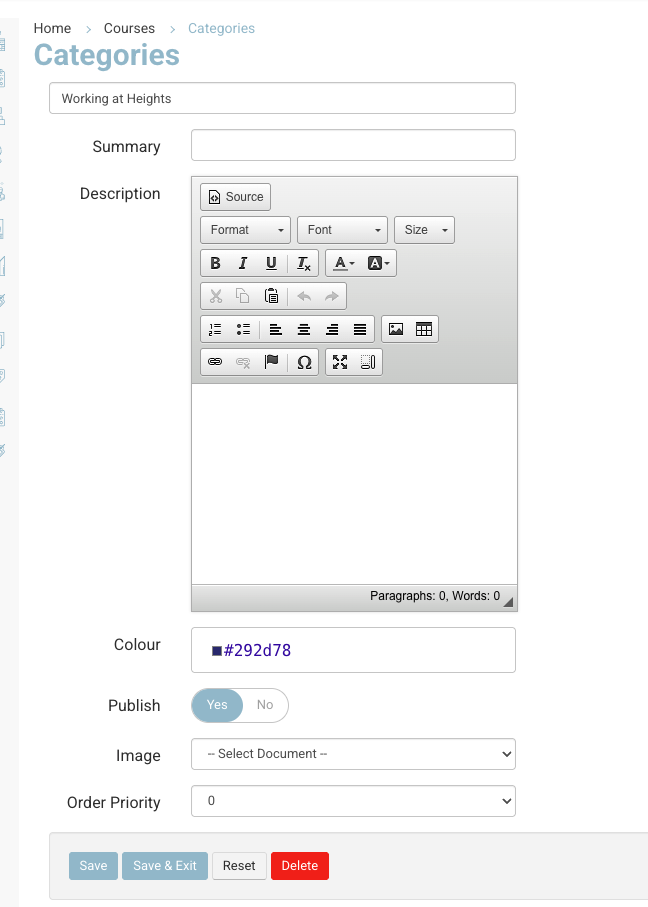
Category - add hex colour value
Frontend Display
Once saved, your selected colour will automatically:
-
Appear on the course list page beside or behind courses under that category.
-
Help guests easily identify courses by their colour-coded category.