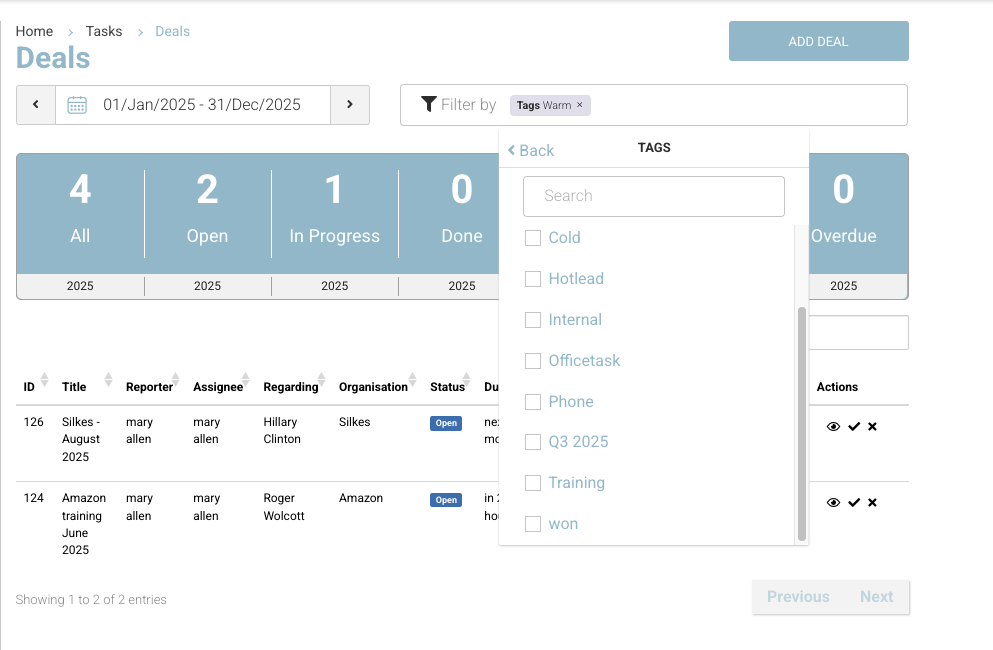
Deal Management in CourseCo gives your sales team a streamlined way to manage and track their pipeline—similar to assigning an admin task, but designed specifically for sales deals.
💡 Contact us to enable this Add On feature or to request a demo.
You can add deals in two ways:
-
While in All Tasks, just select Deal as the task type.
-
Or, while on a Contact, go to the Deals tab and click Add Deal.
This is especially handy if you’ve just added a new contact and want to quickly log a deal—add the basics now and update more details as you hear back from the client.
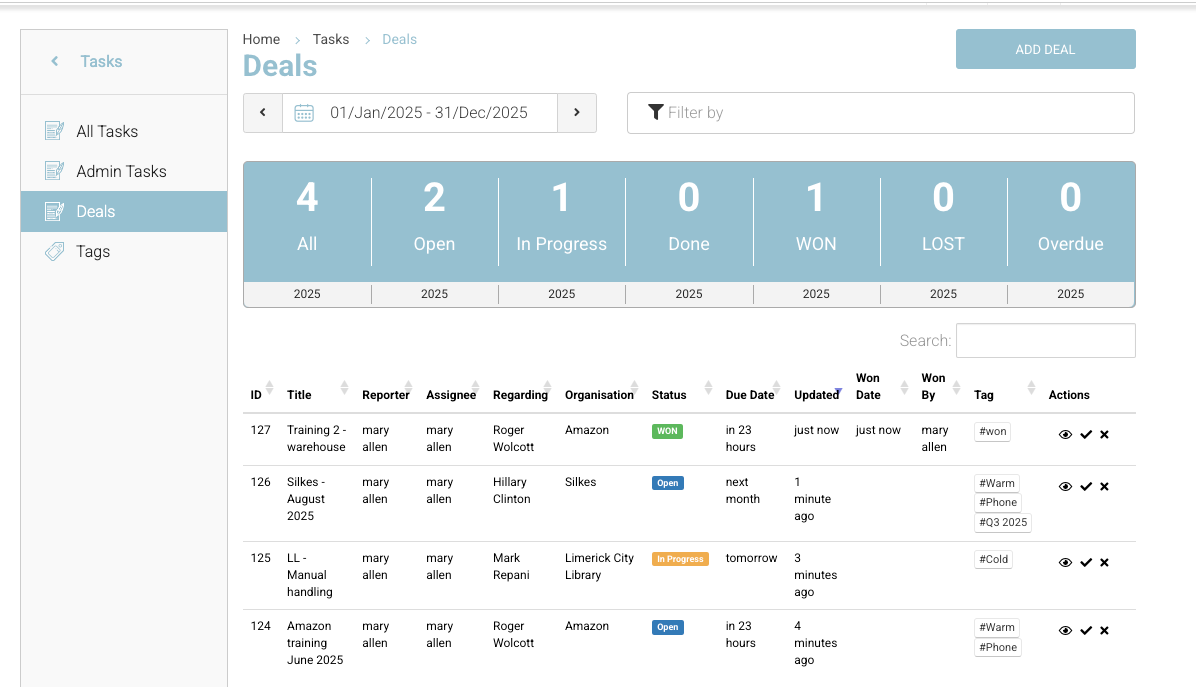
➕ Adding a New Deal
To create a new Deal:
-
Click ‘Add Deal’
This opens the Deal creation panel. -
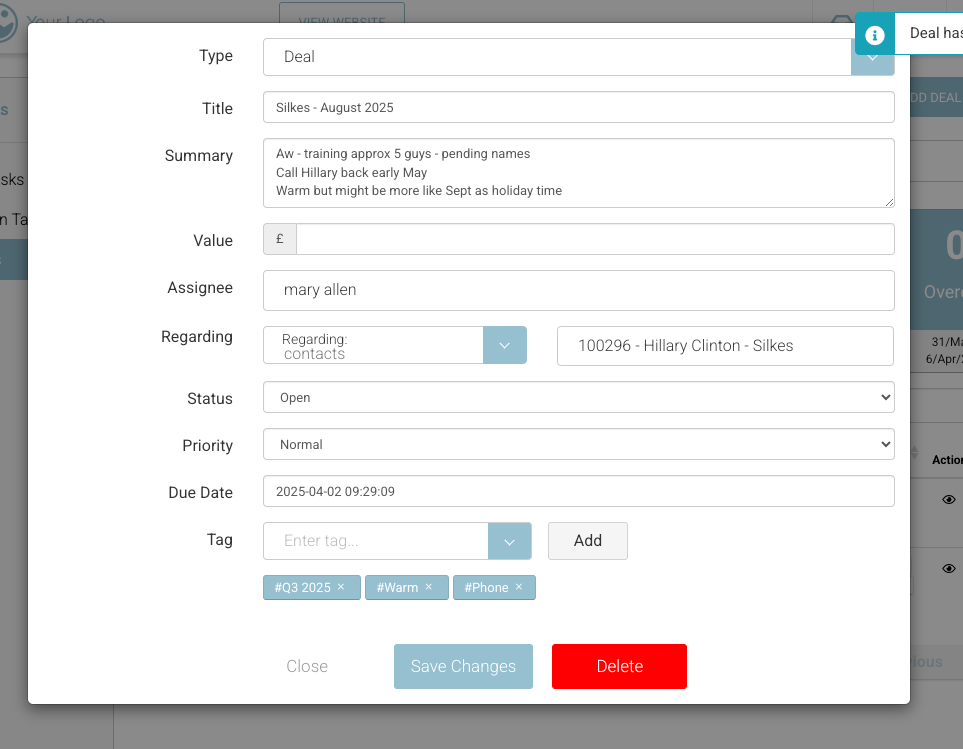
Fill in the following details:
-
Summary – A short title or headline for the deal.
-
Description – More context or notes on the deal.
-
Value – The estimated monetary value of the deal.
-
Assignee – Assign the deal to yourself or another admin team member.
-
Contact/Organisation – Link the deal to a contact or organisation in CourseCo so it’s clear who it relates to.
-
Status – Set the current stage:
-
Open
-
In Progress
-
Done
-
Won
-
Lost
-
-
Due Date – Add a date for follow-up actions (e.g., "Phone on Tuesday").
-
Tags – Use tags to track where each deal is in your pipeline (e.g., "Demo Booked", "Negotiation").
You can:-
Select from existing tags
-
Or create new ones
-
-
🧭 Filtering & Managing Deals
Use the Tag Filter in the top right of your Deal view to:
-
See only deals in a certain stage
-
Group and prioritise deals easily
Tags make it easy to keep your pipeline organised and visualise deal movement over time.