
Removing Delegates from an In-company/private training Booking (no refund process)
This guide explains how to remove delegates from an in-company (private) booking where pricing is fixed and no refund is required.
When to Use This
Use this when:
A delegate is no longer attending a private/in-company course
The booking is charged at a fixed rate (day rate)
No price adjustment or refund is needed
Important to Know
The schedule must have Charge per Delegate = OFF
Removing delegates will not change the booking price
No refund or credit note is required
Steps to Remove a Delegate
Log in as an admin
Navigate to Bookings
Search and open the relevant booking
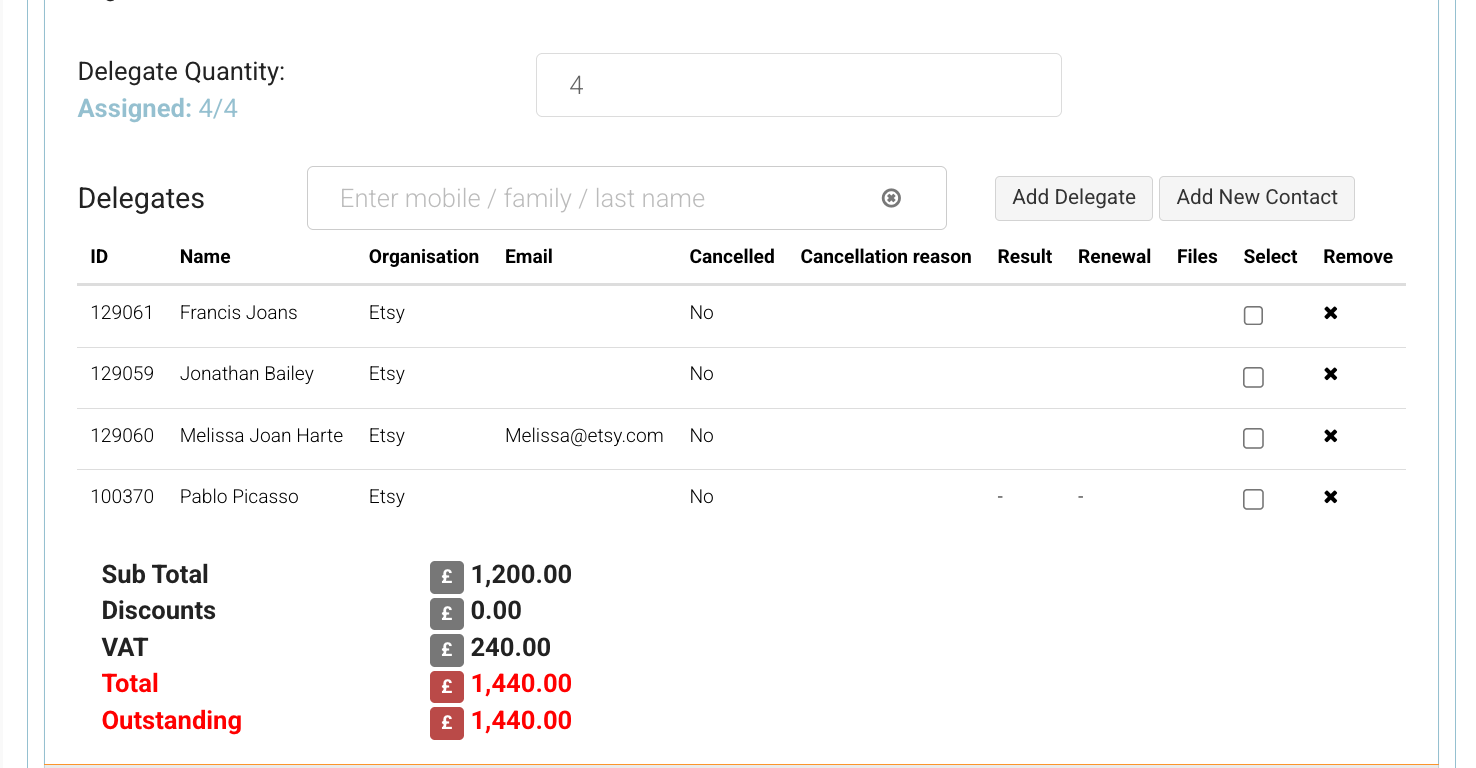
Edit booking | Remove icon
Remove the Delegate
Locate the delegate list within the booking
Click Remove beside the delegate name
Confirm the removal in the pop-up
Click Save
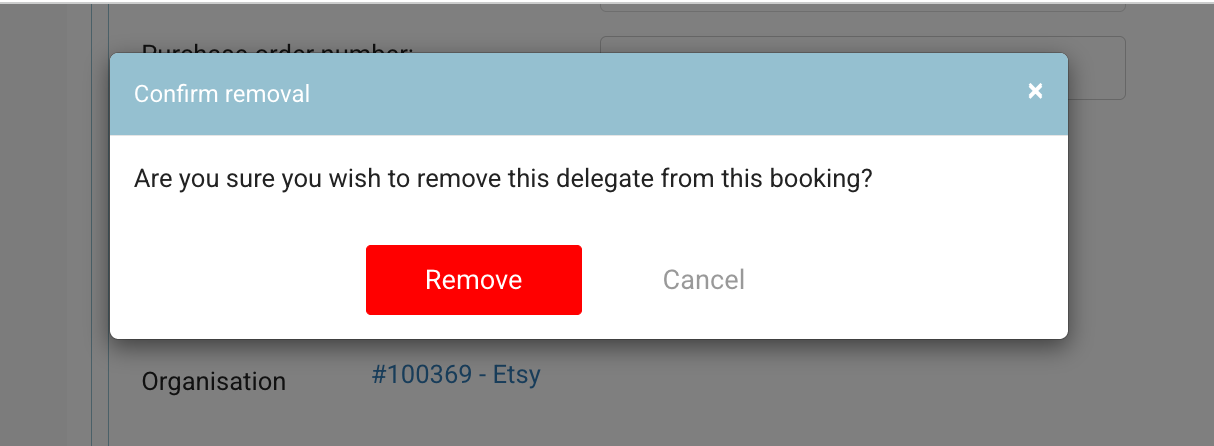
Removed delegate | soft warning
What Happens Next
The delegate is removed from the booking
The booking updates are saved
The total price remains unchanged
Important (Emails & Notifications)
Removing a delegate does not trigger any emails
If needed, you must manually notify the delegate or organisation
To resend booking confirmations to remaining delegates, use Run Automation
Outcome
Delegate is successfully removed
Booking remains active
Pricing remains fixed (no refund applied)
Recommended Tips
Always confirm with the organisation before removing delegates
Keep delegate lists up to date before the course start date
Use this process only for in-company bookings (fixed fee structure)
This process ensures accurate attendee records without impacting pricing or requiring additional financial adjustments.